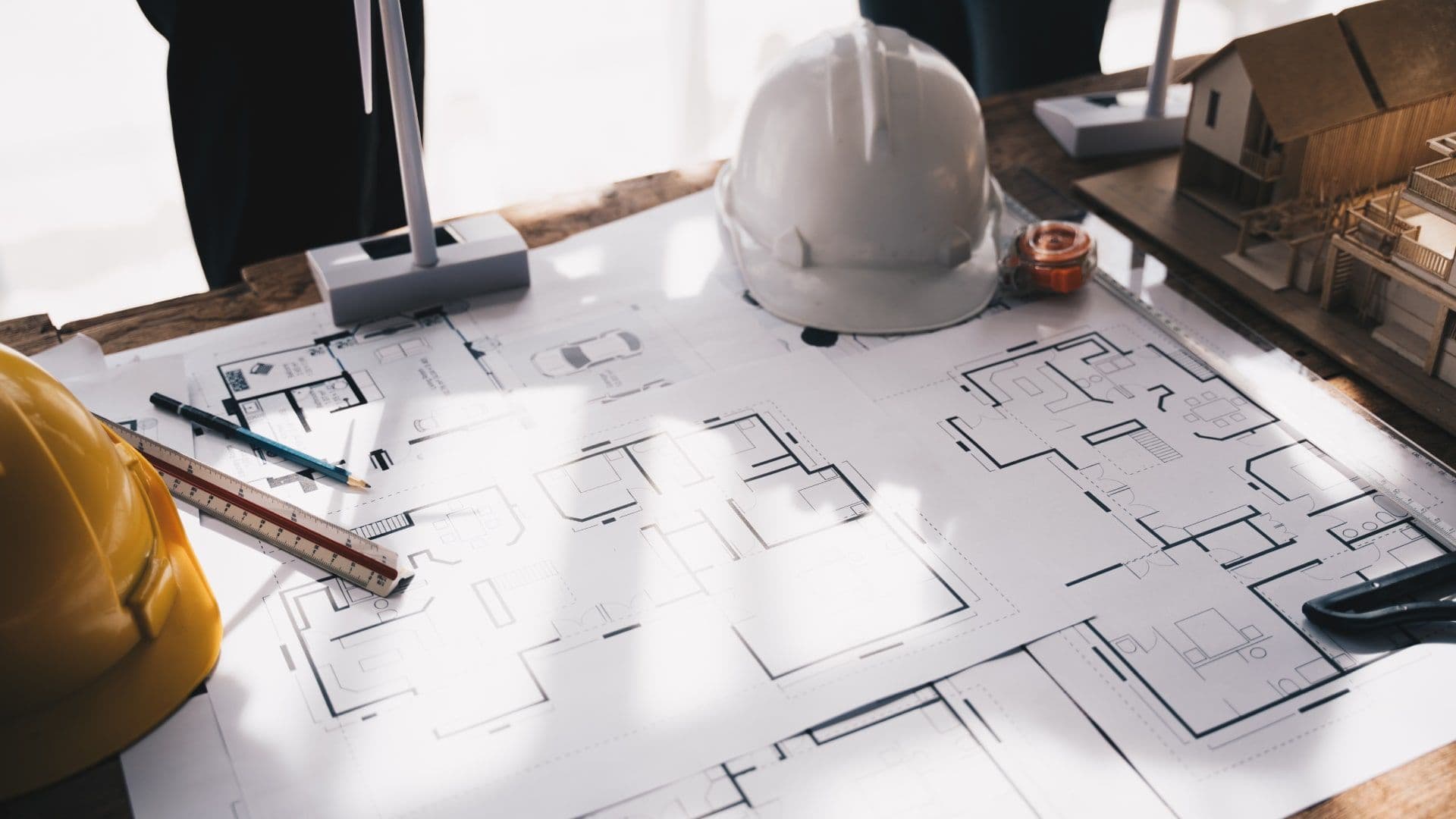
As-Built vs Construction Drawings: The Real Difference (2026)
Last updated: April 2026
Quick Answer: As-Built vs Construction Drawings
Construction drawings are the plans you build from. As-built drawings are the record of what you actually built. Both are legally significant, and poor management of either will cost you money.
Managing construction drawings well is one of the highest-leverage habits on any job. Bad documentation drives rework, delays, and disputes. Rework costs the U.S. construction industry an estimated $31.3 billion annually, and roughly 52% of it ties directly to outdated or missing documentation (Construction Industry Institute). Around 30% of as-built drawings contain errors or remain incomplete (LinkedIn, March 2026).
This guide breaks down the difference between as-built and construction drawings, explains why accurate documentation matters at every project stage, and shows how Premier Construction Software keep everything organized from groundbreaking to closeout.

Drawing Management Software: Quick Comparison
Software | Type | Starting Price | Best For |
|---|---|---|---|
Premier Construction Software | Construction ERP | Contact for pricing | General contractors needing job costing, drawing management, and financials in one platform |
Procore | Project Management | Contact for pricing | PM-focused teams; no native accounting |
Autodesk Construction Cloud | Drawing & BIM Management | From ~$500/mo | BIM-heavy design and build teams |
Bluebeam Revu | PDF Markup & Review | From ~$240/yr/user | Document review and markup workflows |
What Are As-Built Drawings?
As-built drawings are the official record of a completed project. Contractors submit them at closeout to document every deviation from the original design: changed dimensions, relocated utilities, substituted materials, field modifications made on the fly.
They are not just a nice-to-have. Building owners need them for maintenance. Facility managers rely on them for renovations. Local authorities require them before issuing occupancy permits. If the as-builts are wrong, every downstream decision built on them is also wrong.
Key components of as-built drawings
• Building layout: floor plans, elevations, and structural components as actually built
• Architectural features: door and window locations, wall configurations, stair details
• Mechanical systems: HVAC, plumbing, and electrical routing as installed
• Utility documentation: water, sewage, gas, and electrical connections with confirmed locations
• Interior finish specs: materials and finishes that were actually installed
As-built drawings should use clear labels with specific dates, dimensions, and material callouts. Phrases like "similar to" or "equivalent" are not acceptable. Supporting photos, shop drawings, and written notes all strengthen the record.
The most reliable way to build accurate as-builts is to track changes throughout the project, not at the end. Weekly updates beat a frantic closeout scramble every time.
What Are Construction Drawings?
Construction drawings are the complete set of technical documents that define what gets built and how. They translate the architectural concept into buildable specifications, and they function as legal contracts between project stakeholders.
Every trade on site works from these drawings. They also form the basis for permits, bids, and regulatory approvals. If the drawings are unclear or out of date, disputes follow.
Core elements
• Floor plans and elevations: spatial layouts and vertical relationships
• Structural details: load-bearing elements, connections, and foundations
• MEP systems: mechanical, electrical, and plumbing layouts
• Site plans: building placement, grading, and site utilities
• Material schedules: specifications for every major component
How they develop
Construction drawings move through several stages. Architects start with schematic designs showing basic layouts and proportions. The design team refines these through design development. The final construction document phase produces the permit-ready set.
Structural engineers add stability calculations. MEP engineers layer in infrastructure systems. Civil engineers complete the package with site plans. Each revision gets a revision code and date stamp.
Changes happen on every project. Material substitutions, field conditions, and client requests all drive revisions. Formal change management processes keep those revisions tracked and communicated across trades.
Key Differences Between As-Built and Construction Drawings
Creation timeline
Construction drawings come first. They exist before ground breaks and guide everything that follows. As-built drawings evolve during construction and are finalized at project closeout.
In practice, the best project teams maintain a live set of as-built markups throughout the build rather than reconstructing everything at the end. Premier Construction Software's drawing management module supports this with continuous version tracking and field annotations directly tied to the project record.
Level of detail
Construction drawings communicate design intent. As-built drawings communicate reality. That distinction matters.
Construction drawings may show an idealized routing for a conduit run. The as-built shows where the conduit actually went after the GC rerouted it around an existing beam. Future electricians need that as-built to be correct.
As-built accuracy requirements are higher. Every change, from a small dimension adjustment to a full system relocation, needs to be captured. Vague markups or missing notes are not acceptable.
Purpose and use
Construction drawings are the build roadmap. As-built drawings are the long-term facility record. They serve different audiences at different times:
• Construction drawings are used by architects, engineers, contractors, and permitting authorities
• As-built drawings are used by facility managers, building owners, renovation teams, and inspectors
• Both are referenced during disputes, insurance claims, and property transactions
Digital Tools for Drawing Management
Paper-based drawing management is not viable on a modern construction project. Version confusion, lost markups, and slow distribution create the exact conditions that generate rework.
Digital platforms solve these problems, but not all platforms solve them equally. General-purpose file storage is not drawing management. True drawing management connects your drawings to the rest of your project data.
Premier Construction Software's drawing management capabilities (Cortex)
Premier Construction Software's drawing management module, Cortex, is built into the same platform that runs your job costing, change orders, and financials. Drawings connect directly to RFIs, submittals, change orders, and daily logs, so nothing lives in isolation.
Key capabilities include:
• Markup and annotation: detailed redlines, stamps, signatures, and field notes attached to any sheet
• Photo attachment: photos tied directly to drawing sheets for visual verification
• Version control: full revision history with audit trail; all versions stored and accessible
• Advanced search: locate specific sheets instantly across unlimited file types
• Project linkage: drawings connected to documentation, RFIs, submittals, change orders, and daily logs
• Cloud access: field teams access current drawings from any device, anywhere
Because Premier Construction Software is a full construction ERP, not just a drawing tool, your field team's annotations connect to the same system your controller uses to close the books. That eliminates the gap between what happened in the field and what gets documented in the office.
"The unique thing about Premier Construction Software in our eyes was the ability to not only handle our full accounting functions — it could handle running the company and the jobs, but also the drawings, the submittals, the subcontracts and the job costing. It was a full turnkey opportunity for us." — Brian Wessels, President, Intent Built
Benefits of digital drawing management
Switching from paper to digital drawing management has measurable financial impact. One Texas airport project saved $1 million by replacing traditional blueprint sets with digital drawings. Traditional blueprint sets cost roughly $23,000 per set, with additional reprinting costs on every revision cycle.
Beyond cost savings, digital platforms allow multiple stakeholders to work on drawings simultaneously. Architects, engineers, and subcontractors can collaborate in real time, which cuts errors and reduces the volume of RFIs.
Cloud-based access means field crews work from current drawings, not last week's printout. That alone eliminates a significant source of costly rework.
Common Problems with As-Built Drawings
Research shows that about 30% of as-built drawings contain errors or incomplete information (LinkedIn, March 2026). Design and documentation inaccuracies can increase project costs by 10–20% through delays, redesign, and rework (LinkedIn, March 2026).
Accuracy problems
Field changes happen constantly. Design alterations, unforeseen site conditions, material substitutions, emergency fixes. When those changes do not get recorded immediately, the as-built record falls further and further behind reality.
Construction sites are busy. Documentation often gets treated as a low-priority task, handled by junior staff or deferred to closeout. By then, details are fuzzy and the team that made the changes may not be available to clarify them.
Communication gaps
Poor coordination between field teams and the documentation team creates gaps. A field crew modifies a utility run on a Tuesday. If that change does not reach the drawing record before closeout, it never gets captured.
Field teams sometimes avoid documenting unauthorized changes out of concern about penalties. This protects them in the short term and creates expensive problems for whoever renovates the building in five years.
Storage and version control
As-built drawings accumulate throughout a project. Without a structured system, versions multiply and nobody knows which set is current. Paper-based storage compounds the problem. Data gets lost, backup copies are inconsistent, and sharing across teams is slow.
Premier Construction Software's cloud-based platform addresses this directly. Every revision is stored with a full audit trail. Teams can find the current version of any sheet in seconds.
How to Create Better As-Built Drawings
Accurate as-builts do not happen at the end of a project. They are built continuously, one recorded change at a time. Here is a straightforward process that works.
Step-by-step process
1. Start with the original construction drawings. Import your full drawing set into a centralized platform. Premier Construction Software supports all common file formats.
2. Record changes as they happen. Date-stamp every modification. Note material substitutions, location changes, dimension updates, and utility rerouting. Do not wait.
3. Update weekly. Weekly revision cycles catch changes before they are forgotten. Monthly updates are the minimum acceptable cadence.
4. Attach supporting documentation. Link shop drawings, RFI responses, change order approvals, and field photos directly to the relevant drawing sheets.
5. Cross out superseded information. Strike through old values but keep them visible. The revision history tells the story of what changed and when.
Quality checks
Verification should happen at two levels. The owner's team and the design team should independently check final as-builts against change orders, RFIs, and submittals. Two-step verification catches discrepancies that a single review misses.
Owner checklists typically cover safety systems, mechanical system details, hazardous materials information, and equipment specifications. Regular OAC meetings serve as ongoing verification checkpoints.
Local authority inspections and final punch-list walkthroughs add further confirmation. Premier Construction Software's version tracking and photo attachment tools support all of this, with real-time collaboration that speeds the process.
The Real Cost of Poor Drawing Management
Poor construction document management is not just an administrative nuisance. It costs money, directly and immediately. Projects typically lose 15% of their budget to poor document control (Kyro.ai). Bad data in construction caused an estimated $1.8 trillion in losses globally in 2020 (Autodesk and FMI).
Direct costs
When field crews work from outdated drawings, mistakes happen. Materials get installed in the wrong location. Systems get built to the wrong dimensions. Everything that follows requires rework: labor, materials, equipment time, and delay penalties.
One UK construction company lost £95,000 on a single project due to drawing mismanagement: £50,000 in rework, £20,000 in delay penalties, and £25,000 in combined labor and material waste.
Field teams also lose time searching for current document versions. Research shows field teams lose up to 1.8 hours per day searching for drawings, RFIs, specs, or emails (
Field teams lose up to 1.8 hours per day searching for drawings, RFIs, specs, or emails (Kyro.ai). Multiply that across a crew and the cost compounds fast.
Hidden costs
Underground utility strikes generate expensive damage that rarely shows up in drawing management post-mortems. Damage to underground utilities adds between $50–100 billion in unnecessary costs to the U.S. economy each year. Accurate as-built records of utility locations are one of the most effective ways to reduce that risk.
Poor as-built drawings also affect the building's long-term value. Renovations become guesswork. Maintenance teams operate without reliable reference points. Insurance claims and property transactions become more complicated.
Long-term implications
Documentation problems do not end when a project closes out. Facility managers inherit whatever record exists. If the as-builts are incomplete, every future renovation starts with a discovery phase that should not be necessary.
Building owners face higher maintenance costs, increased liability exposure, and reduced ability to respond quickly to system failures when their documentation is inadequate.
"Premier Construction Software allowed us to catch red flags as soon as they happen and protect our margins." — Carlo Frediani, Controller, Broccolini
Industry Standards and Compliance
The American Institute of Architects (AIA) sets baseline standards for drawing preparation and submission. Construction teams working under AIA contracts must meet specific documentation requirements throughout the project.
Required documentation
Standard documentation requirements under AIA guidelines include:
• Contract drawings and specifications
• Revision records with delta triangles marking changes
• Working hardcopy drawing sets (at minimum one set on site)
• Final CAD drawings with all revisions incorporated
• Project inspection cards and verified reports
Cover sheets must display "RECORD DRAWINGS / AS-BUILT CONDITIONS" along with contractor details and contact information. Field teams update working drawings weekly with clear handwritten text and proper deletion marks.
Premier Construction Software aligns with AIA documentation standards. Digital annotation tools, revision tracking, and version control support all required documentation workflows.
Legal considerations
As-built drawings are legally binding documents. They prove contractors met their obligations to owners and authorities. Local building authorities require as-built documentation before issuing occupancy permits.
Contractors face legal risk if final as-builts do not match approved plans without proper change documentation. Construction contracts should specify how drawings comply with local, state, and federal regulations, and who is responsible for obtaining permits.
Licensed surveyors or engineers must certify certain as-built drawings. Field conditions that differ from approved plans need detailed documentation, particularly for drainage, grades, and floor elevations.
Building owners also rely on accurate as-built drawings to open businesses, secure tenants, complete property sales, and support insurance claims. Accurate records protect everyone.
As-Built vs Construction Drawings: Full Comparison
Aspect | Construction Drawings | As-Built Drawings | Notes |
|---|---|---|---|
Creation timing | Before construction begins | During construction; finalized at closeout | Best practice: update as-builts continuously, not at the end |
Primary goal | Guide the build; obtain permits | Document actual built conditions; support maintenance | Both carry legal weight |
Level of detail | Design intent and planned specs | Exact measurements, actual materials, field modifications | As-builts require higher accuracy standards |
Legal status | Contract reference between stakeholders | Verification of contractor obligations; required for occupancy permits | AIA standards apply to both |
Main users | Builders, contractors, engineers, permitting authorities | Facility managers, building owners, renovation teams, inspectors | — |
Update frequency | Through formal revision process with revision codes | Continuous updates required throughout construction | Weekly updates recommended for as-builts |
Common problems | Design revisions, material substitutions mid-build | Missing field changes, accuracy errors, poor version control | Both problems are solved by centralized digital management |
Storage method | Digital management with version control | Cloud-based storage with full audit trail | Premier Construction Software handles both |
Drawing Management Software Comparison (2026)
Software | Best For | Starting Price | Key Features | Score | Verdict |
|---|---|---|---|---|---|
Premier Construction Software | General contractors needing a full construction ERP | Contact for pricing | • Cortex drawing management module • Connected to job costing, change orders, RFIs • Full version control and audit trail • AI-powered (Eddie) and mobile field access | 4.6/5 | Best all-in-one option for GCs who need drawings connected to financials |
Procore | PM-focused teams | Contact for pricing | Drawing management, RFIs, submittals (no accounting) | 4.5/5 | Strong PM tool; no financial management |
Autodesk Construction Cloud | BIM-heavy design teams | From ~$500/mo | BIM coordination, clash detection, document control | 4.3/5 | Best for complex BIM workflows; steep learning curve |
Bluebeam Revu | Document review and markup | From ~$240/yr/user | PDF markup, measurement tools, review workflows | 4.4/5 | Best-in-class for markup; not a full PM or ERP platform |
Conclusion
Construction drawings and as-built drawings serve different purposes, but they rely on the same foundation: accurate, current, well-organized documentation.
When field changes do not get captured, as-builts fail. When drawings are not distributed properly, rework follows. Both problems trace back to a documentation workflow that is not built for the pace of a real construction project.
Premier Construction Software's drawing management module keeps drawings connected to the rest of your project data. Change orders, RFIs, submittals, and daily logs all link to the relevant sheets. Your field team works from current drawings. Your office team maintains accurate records. And your closeout documentation is built throughout the project, not assembled in a panic at the end.
Premier Construction Software is a modern construction ERP trusted by 800+ contractors across North America, with 1,000+ verified reviews on G2, Capterra, and GetApp. Forbes Advisor named Premier Construction Software #1 Construction Cloud ERP in 2026. Book a demo to see how the drawing management tools work alongside job costing, change orders, and financials in a single platform.
"Our source of truth will always be Premier Construction Software." — Nomad Infrastructure

Latest articles




Trusted by global leaders
Join those who have put their trust in us



















