How to Evaluate Construction ERP Software: A Step-by-Step Guide for Contractors
Last updated: May 2026
Learning how to assess construction ERP software is critical when 81% of US-based construction businesses have already implemented an ERP system. The stakes are high. Pick the wrong platform and you'll burn budget, frustrate your team, and still be juggling disconnected systems for job costing and billing.
This piece walks you through seven practical steps to choose construction ERP software that fits your business. You'll learn how to assess ERP systems based on your project complexity, must-have features, integration needs, and total cost of ownership.
Understanding Construction ERP Software
Construction ERP software isn't just accounting software with a hard hat. The difference matters when you're choosing an ERP system for construction that needs to handle change orders mid-project, track union payroll at multiple sites, and manage subcontractor compliance.
What Makes Construction ERP Different from General ERP
Generic ERP systems treat every project like a manufacturing run or retail transaction. Construction doesn't work that way. Your projects span months or years and involve dozens of subcontractors. Scope changes weekly. An ERP system for construction industry is built around this project-centric reality.
Job costing in construction ERP software connects to your Work Breakdown Structure and Bill of Quantities. You track costs against original estimates, revised budgets, and forecasted expenses in real time. Generic systems offer simple cost centers without linking to BOQ items or WBS codes.
Construction projects generate mountains of compliance documentation. Safety permits, inspection logs, insurance certificates, subcontractor qualifications, prevailing wage records. A construction ERP software centralizes these requirements with automated tracking and expiration alerts. Generic ERP platforms treat compliance as an afterthought and often require third-party extensions.
Resource planning in construction means more than headcount. You're coordinating labor skills, equipment availability, material deliveries, and subcontractor schedules at multiple active job sites. Construction ERP platforms manage crew composition, equipment utilization, and procurement timing within the same system that handles your financials.
Contract and change order management separates construction-specific platforms from general business software. You need tools that track scope variations, calculate time and cost impacts, route client approvals, and update project budgets automatically. Generic systems handle this through email chains and spreadsheet attachments.
Key Benefits for Contractors
Disconnected systems create administrative chaos. Project data lives in scheduling software. Cost information sits in standalone spreadsheets. Field inputs never reach your accounting platform. This fragmentation drives duplicate entry, reconciliation work, and reporting delays.
Construction ERP software creates a centralized repository where authorized stakeholders see updates right away. When your superintendent records a materials delivery or adjusts the schedule, that information flows to estimating, accounting, and project management without manual transfers. Therefore, data entry errors drop and executive visibility improves.
Real-time cost tracking changes how you manage project performance. Traditional month-end reconciliations tell you about problems weeks after they occurred. Modern ERP software for construction industry provides structured financial controls that monitor cost commitments, progress billing, and budget variances as activity happens.
Labor represents one of your largest expenses. Construction ERP systems connect workforce data to project performance through time tracking with job and phase coding, automated compliance with union agreements and prevailing wage requirements, and skills certification management. Some contractors report reduced payroll processing time after implementing construction ERP software.
Equipment-intensive contractors face ongoing challenges tracking machinery utilization and maintenance costs. ERP platforms monitor equipment utilization rates, schedule preventive maintenance, track repair costs, and manage internal cost allocations within the same system as project financials.
Compliance obligations extend to insurance tracking, subcontractor documentation, safety records, permits, and quality control processes. When compliance data sits alongside project records, retrieval becomes quick during audits or disputes. Some contractors report improved bonding capacity after implementing complete tracking through construction ERP software.
Historical performance data becomes your competitive advantage. When financials, project controls, and workforce information reside in one system, you can analyze the most profitable project types, crew productivity trends, equipment maintenance costs, and subcontractor performance. This supports strategic decisions based on verified performance data rather than assumptions.
Common Misconceptions
You don't need 500 employees to benefit from construction ERP software. Modern ERP solutions scale for organizations of all sizes. You implement only the functionality your business model requires and add features as you grow.
The "ERP is too expensive" myth ignores total cost of ownership. Manual processes, duplicate entry, and delayed reporting cost more than subscription fees. ROI comes from eliminating administrative waste and improving project margins. Contractors can start with core modules and expand later.
Implementation timelines have shortened. Early ERP systems required years to deploy. Modern construction ERP software has pre-configured best practices and industry-specific templates. Cloud-based architecture eliminates infrastructure setup time. Implementation still requires structured planning, but the "multi-year rollout" concern reflects outdated experience.
The complexity concern doesn't match current reality. Construction ERP platforms now have mobile apps for field teams and role-based dashboards. Teams can manage purchase orders, monitor site materials, and generate reports after brief training.
When you understand what makes construction ERP software different, you can assess systems based on capabilities that matter to contractors rather than generic business software features.
Step 1: Define Your Business Requirements
Requirements definition separates successful ERP implementations from expensive mistakes. Document what you're trying to fix before you evaluate any ERP system for construction.
Identify Current Pain Points
Catalog where your current systems fail first. Communication breakdowns affect about 40% of construction projects and cause delays and cost overruns. Field teams and office staff operate in separate worlds. This creates data loss when incidents go unreported and schedule conflicts that push back completion timelines.
Your pain points might be reconciling job costs that take days instead of hours. You manage millions through spreadsheets where only one person "knows the numbers". Monthly close becomes a fire drill because Work in Progress reports require heroic effort. Change orders inflate budgets 5-10% and cost the industry about $44 billion each year. Large projects experience between 5 and 11 change orders throughout their lifecycle.
Data silos create problems of their own. Critical business decisions suffer when information sits on disconnected platforms. Field data doesn't reach finance teams in real time. This prevents you from identifying waste or detecting risks before they compound. The gap between estimated budgets and actual costs widens when project managers can't access current data.
Document these issues with specifics. Which reports take too long to generate? Where do teams manually re-enter data? What decisions get delayed waiting for information? This inventory becomes your evaluation criteria when you choose construction ERP software.
Map Your Project Types and Complexity
Project complexity drives your ERP software for construction industry requirements more than company size alone. A $15 million contractor doing high-volume multifamily work might need an ERP sooner than a $30 million firm with simpler projects and cleaner margins.
Construction complexity includes 37 indicators in 11 categories: stakeholder management, governance, legal considerations, fiscal planning, interfaces, scope definition, location factors, design and technology, project resources, quality standards, and execution targets. These indicators distinguish low-complexity from high-complexity projects and help determine which ERP capabilities you need.
Assess your typical project characteristics as well. Do you manage multiple sites at once? How many subcontractors work on average projects? What percentage involves union labor or prevailing wage compliance? Do clients require AIA progress billing or other specialized invoicing? Your project profile determines whether you need advanced features or can start with core modules.
Determine User Count and Roles
Calculating users affects your budget and system performance. A concurrent user represents one person signed in to the ERP system for construction at any given time. Named users don't need to be signed in to count.
A manufacturing company operating three shifts with most office personnel on the first shift might have 50 concurrent users but 85 named users. Construction firms face similar patterns when field crews, office staff, and management access systems at different times.
Map who needs access and when. Project managers require full dashboard visibility. Field superintendents need mobile access for time entry and material tracking. Estimators pull historical cost data. Accounting staff process invoices and run financial reports. Subcontractors might need limited portals for submittals and payment applications.
Different ERP vendors use different licensing models. Understanding your concurrent versus named user counts prevents overpaying for licenses you don't need.
Set Growth Projections
Most companies think about construction ERP software between $20 million and $50 million in annual revenue, or once they hit around 20 to 50 employees. That's when legacy systems start slowing you down more than helping.
Define what growth looks like for your operation. Revenue increases through larger projects? Geographic expansion into new markets? Improved margins through better cost control? More repeat clients through operational stability?. Your growth vision determines which ERP capabilities matter most and whether cloud-based scalability justifies higher subscription costs.
Step 2: Identify Must-Have Features for Your Construction Business
Feature selection separates systems you'll actually use from expensive shelfware. Choose construction ERP software that focuses on capabilities addressing the pain points you documented in Step 1.
Job Costing and Project Accounting
Job costing tracks costs and billings at the project and cost-code level so teams see profitability as work happens, not weeks later. You need visibility into three numbers at once: budget (original estimate plus approved changes), committed cost (open purchase orders, subcontracts, and obligations), and actual cost (posted time, bills, receipts, equipment usage).
Teams detect overruns early by monitoring budget versus committed versus actual by cost code, before they appear as margin surprises at closeout. Data from accounts payable, receivable, purchasing, payroll, estimation, and forecasting flows into the job costing module and provides immediate insights.
Cost codes and budget versions should line up with estimating and the schedule of values. Mobile time entry, receipts, and material issues improve accuracy through field-to-office cost capture. Role-based dashboards highlight variance and potential overruns by cost code before they erode margins.
Mobile Access for Field Teams
Site workers need mobile access to current drawings, requests for information, specifications, and submittals. This reduces errors, delays, and rework that affect project profitability. Field teams coordinate better when they assign tasks, work from updated drawings, and line up field and office operations from any device.
Construction sites face a major barrier: limited network connection except in the trailer. Your contractors, subcontractors, and project managers lose time running back for documents or playing telephone tag to get simple questions answered. Mobile construction management keeps everyone working with the same information.
Conversations connected to specific tasks with push notifications accelerate decision-making through messaging. Tasks, punch lists, and inspections tracked through mobile apps let teams record inconsistencies on-site and mark up plans with notes, photos, and videos. Cloud-based platforms push new drawing versions to user devices automatically, so everyone works with current information.
Change Order Management
Projects average between 1.7 change orders for small work and 11.18 for larger projects. Delayed change orders disrupt cash flow and force contractors to pay bills while waiting months for approval and payment. Work stops or slows because of untimely processing, creating negative ripple effects across entire schedules.
Change orders alter project scope, cost, and schedule. Your ERP system for construction should automate change order processes to control job cost overruns. The platform needs to track scope variations, calculate time and cost impacts, route client approvals, and update project budgets automatically. Never start work without a signature under the assumption the property owner will approve changes later.
Certified and Union Payroll
Contractors working federally-funded construction projects must submit certified payroll reports that confirm they pay common wages according to Davis-Bacon and Related Acts. These records go to the U.S. Department of Labor weekly, even if work halts temporarily.
Union payroll operates under collective bargaining agreements that specify wage rates, benefits, and working conditions. Key components include hourly wage rates for job classifications, complete benefits packages covering health insurance and retirement plans, union dues deductions, and certified payroll reports detailing compensation and hours. Fringe benefits include contributions to health and welfare funds, pension funds, and employee benefit programs.
Construction-specific union payroll systems automate CBA compliance, calculate trade-specific rates and dues, and generate certified payroll reports for submission to union halls and government agencies.
AIA Progress Billing
AIA billing provides a standardized process contractors use to request payments for completed work throughout project duration. G702 (Payment Application) and G703 (Continuation Sheet) forms sit at the heart. The Schedule of Values breaks total contract value into individual line items that correspond to specific work portions.
This standardized process promotes consistency across projects. Contractors avoid confusion and reduce errors, and both parties understand exactly what's being billed. Before payment issues, billing applications require contractor certification, and sometimes architect or project manager certification, that confirms work completion according to contract documents.
Subcontractor Management
Subcontractor management software provides a centralized platform where you manage subcontractors, track project progress, and automate workflows. Centralized communication combines messages, updates, and notifications in one place for easy tracking. Compliance tracking through built-in tools manages subcontractor certifications, insurance records, and safety documentation with automated alerts for upcoming expirations.
Payment management through integrated financial tools tracks subcontractor invoices, progress payments, and retainage to avoid disputes. Dashboards provide visibility into subcontractor performance and task completion through progress monitoring, helping you identify bottlenecks. Document management stores contracts, project plans, and all documents in organized, available formats.
Step 3: Evaluate Integration Capabilities
Your construction business already runs on multiple software platforms. Estimating tools, scheduling systems, accounting software, document management, and field apps all hold critical data. The integration capabilities of your construction ERP software determine whether you're creating a connected operation or just adding another disconnected system.
Check API Availability
API connectivity functions as a control mechanism for margin protection, schedule responsiveness, and auditability. Middleware triggers downstream actions when a change event gets created or updated in your project management platform. These actions include estimate pricing requests, ERP budget hold records, approval workflow notifications, and document synchronization.
Look for REST-based APIs with OAuth 2.0 authentication and JSON data formats. These standards allow your engineering team to integrate and trust the data at scale quickly. API gateways enforce authentication, throttling, and version management. Event brokers decouple high-volume updates from transactional ERP posting.
Construction firms move from on-premise environments to cloud platforms. Integration design moves from direct database dependencies to API-first patterns. Your ERP system for construction needs documented API endpoints that let you connect project data, company contacts, and design documents to your CRM, data warehouse, or internal tools.
Review Pre-Built Integrations
Modern construction environments use scheduling, BIM, CRM, and construction accounting tools. Pre-built integrations eliminate custom development work and accelerate deployment timelines.
Accounting integrations matter most. QuickBooks Online connections streamline job costing, reduce duplicate entry, and keep financials arranged. Platforms offering DocuSign integration eliminate approval bottlenecks by streamlining contract signing, change orders, and critical project documents.
File storage integrations with Google Drive, OneDrive, Dropbox, and Box let teams access documents without leaving the ERP platform. CRM integrations reduce friction between sales and production and keep customer details and pipeline activity connected as opportunities move into execution.
Scheduling tool integrations allow project managers to create and update schedules, allocate resources, and track progress within the platform. Collaboration tools like Slack enable live communication on tasks, file sharing, and coordination without switching applications.
Check which integrations come standard versus requiring additional fees or custom development. Platforms offering 200-plus partner integrations through APIs and no-code workflow builders provide flexibility for unique requirements.
Test Data Migration Tools
Data migration represents a critical implementation phase. Your historical project data, customer records, vendor information, and financial transactions need to move into the new ERP system for construction industry.
Assess what migration support vendors provide. Do they offer automated data extraction tools? Can the system confirm data quality before final import? What happens to projects in progress during the transition?
Middleware becomes essential because it normalizes payloads, enforces transformation rules, and preserves transaction traceability. Integration teams need regression testing for ERP API changes, environment-specific configuration controls, and clear rollback strategies when upstream SaaS vendors alter payload schemas or authentication methods.
Document how estimates become budgets, how commitments are created, how change events become approved change orders, and where billing or forecast updates depend on those transitions. This documentation protects your business during migration and operations going forward.
Step 4: Assess Vendor Experience and Support
Vendor selection determines whether your ERP system for construction becomes a strategic asset or an expensive headache. Software capability matters, but vendor stability protects your investment. Vendor failure disrupts operations and leaves you scrambling to migrate data and retrain teams mid-project.
Verify Construction Industry Expertise
Your ERP partner matters as much as the software. Look for vendors with deep construction expertise, not just IT knowledge. Generic software companies treat construction like any other vertical. They don't understand why change orders need three-tier approval workflows or how certified payroll is different from standard timekeeping.
Industry association involvement and executive backgrounds reveal how vendors stay current with market trends and technology advancements. Executives with actual construction experience bring first-hand knowledge of your business functions and line up products with real-life needs.
Review Customer References
Speaking to current clients functions like checking employee references. It's a reasonable request that reveals service gaps, billing issues, or support problems. Online software reviews provide alternative validation if a vendor can't connect you to clients. Reference checking verifies vendor claims.
Case studies published on vendor websites show what business problems other customers solved, their implementation approach, and success measures. Use these to understand whether the vendor handles projects like yours. Reach out to several current customers with probing questions to get experiential information about strengths and weaknesses.
Review Training Resources
Implementation requires planning, training, and progress monitoring. Choose a company with solutions specialists to help map the trip, remove pain points, and ease employees into new systems. Complete training options affect adoption rates. Weekly work plan construction training should address actual workflows, while 3 week lookahead schedules training covers planning processes.
Training availability determines how fast your team becomes productive. Most ERP providers offer programs that include online tutorials, in-person workshops, and ongoing support. Change management proves critical for successful ERP implementation, so vendors that provide training resources, documentation, and adaptation support deliver better outcomes.

Check Response Times and Support Models
A minute saved in response can mean a day saved on the project timeline. Delays in addressing technical queries or supply issues derail entire schedules. Such delays compound and lead to cost overruns and strained client relationships. Responsive support prevents frustration, especially when you have field management software issues that need quick resolution.
Potential vendors need expertise, infrastructure, and resources to respond fast to system crashes and security issues. Even non-urgent matters require ongoing education and availability for everyday questions. Evaluation criteria include case submittal processes via online portal, chat, telephone, or email; operating hours and after-hours availability; multi-language support representatives; problem severity definitions; service-level objectives for response timeframes; and searchable knowledge bases or user forums.
Step 5: Calculate Total Cost of Ownership
Sticker shock happens when contractors focus only on the license price. The subscription fee represents just 20-30% of what you'll spend. Total cost of ownership means you account for software licenses, implementation services, infrastructure, integrations, training, maintenance, and costs that surface after go-live.
Compare Subscription vs License Fees
Perpetual licenses require one-time upfront payment based on functional scope, configuration, and user count. You own the software, but maintenance, support, and upgrades come separately. Annual maintenance runs 15-22% of the original license fee. A mid-sized company with 100-200 users might pay around $2 million upfront, then $300,000-$440,000 each year for support.
Subscription pricing for construction ERP software works differently. You pay monthly or yearly fees that include maintenance, support, and upgrades. Annual subscription prices range from 25% to 35% of the equivalent perpetual license cost. Cloud subscriptions eliminate upfront infrastructure investments but create ongoing operational expenses.
Neither model costs less. PERpetual licenses front-load capital expenditure. Subscriptions distribute costs across time and move infrastructure management to the vendor. Your choice depends on cash flow priorities, balance sheet treatment, and how you value predictable versus variable costs.
Factor Implementation Costs
Implementation represents 25-35% of total cost of ownership and becomes the single largest expense. Implementation costs exceed license fees by a factor of two to three in some cases. Project planning, business process changes, system configuration, testing, documentation, and go-live support all require specialized labor.
Personnel costs depend on market rates for ERP consultants and developers multiplied by your implementation timeline. You're paying for business analysis, solution design, project management, configuration work, quality assurance, and technical deployment.
Account for Training and Onboarding
Training costs fall between 5-10% of total ownership, yet contractors underestimate both budget and timeline. Your ERP changes how nearly every department operates. Teams need structured programs, dedicated time, and third-party support to reach proficiency.
Budget allocation should reach 15-18% of total project spend to improve user adoption. Training covers initial end-user programs, train-the-trainer sessions, and ongoing education for new hires.
Think Over Ongoing Maintenance
Maintenance and support consume 5-15% of total cost of ownership. For pERPetual licenses, vendors charge 20-25% of the original license price each year for upgrades, bug fixes, and continued operation on changing hardware. Cloud platforms include maintenance in subscription fees but still require help-desk operations, system monitoring, and integration maintenance.
Budget an additional 10% contingency for costs like training new employees, data management as operations grow, temporary personnel during implementation, and security framework improvements.
Step 6: Request Demos with Real-World Scenarios
Polished demos running on clean sample data tell you almost nothing about how construction ERP software handles your actual chart of accounts, cost structure, and reporting cadence. Smart contractors therefore prepare demonstration scripts with real-life scenarios before scheduling vendor presentations.
Prepare Your Use Cases
Build demonstration scripts around your business processes, not vendor marketing decks. Include scenarios like processing a change order that affects three cost codes, entering certified payroll for union workers across multiple projects, or generating WIP reports during month-end close. Tell vendors what makes each process unique for your operation. Guide them to show functionality across the platform.
Watch for vendors who switch from live demonstrations to PowerPoint slides mid-presentation. This often means the functionality exists only in theory, not as working features. Technical issues that happen once and recover fast are fine. Problems that persist throughout the demo are a red flag about product stability.
Test Role-Based Dashboards
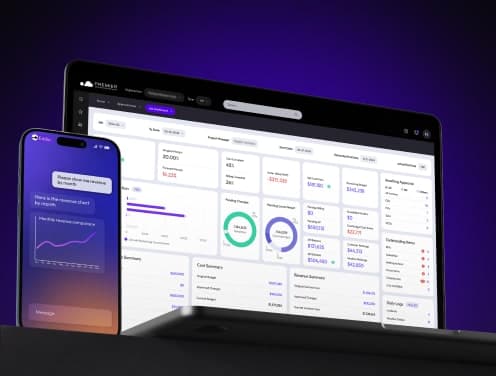
Different users need different views. Project managers check job dashboards every morning for revenue, cost, overbilling, underbilling, receivables, and EAC. Controllers use the same dashboards to close books faster. CFOs report with confidence rather than caveats.
Role-based dashboards reduce time spent searching for data and boost productivity. Ask to see how superintendents track manpower and look-ahead schedules versus how executives monitor backlog and company-wide risk indicators. Premier Construction Software delivers customizable dashboards where construction executives drill down into financial data while job site leaders focus on bringing projects in on time and within budget.
Review Reporting Capabilities
Reporting depth comes from granular data and flexible query tools. Systems with unified databases but weak reporting force users into spreadsheet exports. Strong dashboards built on shallow data produce confident-looking numbers that fall apart under audit.
Test reports against datasets that mirror your complexity, including multi-company rollups and joint venture accounting if relevant. Verify drill-down from summary financials to source transactions without leaving the report, user-configurable dashboards that respect role-based permissions, and native WIP, backlog, and cash flow forecasting tied to live job data. Custom report writers should work without developer support.
Check Mobile Functionality
Field teams need mobile access to current drawings, RFIs, specifications, and submittals to reduce errors and rework that affect profitability. Test these capabilities under real site conditions, not conference room WiFi.
Verify offline functionality with reliable sync once connectivity returns. Construction sites face limited network connection except in the trailer. This creates delays when workers run back for documents. Mobile platforms should capture daily logs, time entry, and equipment usage against correct cost codes, with photo and document attachment tied to specific transactions.
Premier Construction Software's mobile app handles time tracking, daily logs, and site photos that attach to job records. Workers clock in from phones, supervisors clock entire crews at once, and field engineers access current drawings without leaving the site. Offline mode keeps data entry running on remote sites and syncs when connectivity returns.
Some vendors bolt mobile apps onto staging layers rather than posting to the same tables as office transactions. This creates reconciliation work and delays. Ask how the platform handles conflicting edits, connectivity drops mid-entry, and role-based permissions for field users who shouldn't see full financial data.
Step 7: Review Implementation Timeline and Process
Implementation decisions affect how quickly your team gets value from construction ERP software. The timeline between contract signature and productive use varies based on deployment model and migration complexity.
Understand Cloud vs On-Premise Deployment
Cloud platforms go live faster. Premier Construction Software’s cloud-based ERP can be deployed in as few as 60 days through a structured implementation process. On-premise systems require 6-18 months. On-premise deployments need hardware procurement, network configuration, software installation, and infrastructure setup before anyone extracts value. Cloud solutions eliminate that overhead since the provider manages hardware and maintenance.
Companies using cloud ERP report 92% improved profits compared to 42% using on-premise systems. Cloud platforms scale by changing subscription plans. On-premise solutions require buying more hardware.
Clarify Data Migration Support
Data migration requires accurate transfer from legacy systems to preserve trust in reports across departments. Look for providers experienced in construction-specific data conversion, especially when you have open jobs, retainage, commitments, equipment records, and historical cost detail.
Run both old and new systems during a dual-system phase to verify the new platform produces expected results before abandoning legacy software. This overlap prevents rushed switches and maintains business continuity.
Set Realistic Go-Live Expectations
Most ERP implementations take 6-12 months from planning through stabilization. Block periods instead of specific days when estimating timelines. Implementation might take 7-12 weeks, training 3-5 weeks, and testing 3-6 weeks. Sign up for 6-12 months of post-launch support to fix issues and manage updates.
Conclusion
You now have a practical framework to review construction ERP software based on actual business needs instead of sales presentations. Document your pain points and project complexity first. Vendors should be tested against ground scenarios, not sanitized demos. Total ownership costs go beyond subscription fees and need calculation.
The right platform connects your field teams, project managers and finance staff through one system. Premier Construction Software delivers this integration for contractors managing complex projects in North America.
Take your requirements list and schedule demonstrations that mirror your daily operations with these points in mind. The ERP you choose today will shape your margins and growth capacity in the years ahead.
Latest articles



Trusted by global leaders
Join those who have put their trust in us