
How to Streamline Construction Workflows from Estimating to Project Closeout
Last updated: September 2026
Workflow inefficiencies often lead to delays and increased errors in construction projects. Your construction project workflow might look organized on paper, but chaos can take over fast between estimating and closeout. Missed deadlines, communication breakdowns, and budget overruns become the norm rather than the exception. A well-laid-out construction management workflow reduces these costly mistakes and keeps your team aligned. This piece shows you how to optimize construction workflows at every phase. You'll learn practical strategies to improve estimating, boost collaboration, utilize technology and close out projects smoothly.
Understanding Construction Project Management Workflow
What is a Construction Workflow
A construction project workflow maps out how work moves through your project. Think of it as the sequence of tasks, approvals, and deliverables that guide everything from original design to final handover. Workflow management goes deeper than just listing activities. It specifies how team members transfer tasks, information, and documents to one another, guided by procedural guidelines.
Construction workflow management covers four critical areas. Task sequencing determines which activities happen before others can begin. Resource allocation gets crews, materials, and equipment to the right place at the right time. Information flow makes sure documents, approvals, and updates reach the people who need them. Progress tracking watches completion status and spots delays before they snowball.
Projects grind to a halt when workflow management falls apart. Crews wait for materials, approvals, or the previous trade to finish. The breakdown happens in three areas. Communication scatters across endless email chains and leaves people out of the loop, creating gaps that hamper productivity. Data silos store systems and information in separate locations, creating double-entry and missing information that derails processes. Workers don't know where they are in the process or what action items come next because of lack of transparency, leading to missed tasks and delays.
Key Phases from Estimating to Closeout
Construction projects move through distinct phases. Each produces information the next phase depends on. The six main phases form a connected chain.
Project design and planning builds the case for construction and brings in consultants to determine costs and technical considerations. Design produces drawings and an approved scope that becomes the foundation.
Preconstruction converts that scope into an estimate and schedule. This phase produces the baseline that the rest of the project relies on. Procurement orders the wrong materials when quantities are wrong. Job costing cannot map actual expenses when cost codes lack structure.
Procurement turns the estimate into binding commitments. Purchase orders go to suppliers, subcontractors sign contracts, and materials get scheduled for delivery. The crew needs confirmed purchase orders, signed trade contracts, delivery schedules, and a locked budget before construction starts.
Project execution puts all the earlier work to the test. Teams implement communication plans and make adjustments as necessary as plans meet reality. Construction executes the work on site based on numbers and decisions from earlier phases.
Project control prevents projects from getting sidetracked. Controls track progress against the baseline, manage change orders, and address quality and safety compliance.
Project closeout represents the final phase when all assets are handed to the owner. Both the physical facility and all documentation must be resolved according to contract requirements. A survey from Autodesk and Dodge Data & Analytics shows that 66% of general contractors experience trouble getting off the job on at least a quarter of their projects. Only about 8.5% of major construction projects finish on time and on budget.
Why Streamlining Matters
The handoff between phases often breaks. A builder completes an estimate and sends quantities to suppliers for pricing in one tool. The schedule gets created in another tool. Purchase orders move through email threads. The crew works from numbers calculated in a spreadsheet that no longer reflects the latest design decisions weeks later when framing begins.
Studies show up to 30% of data created during design and construction phases are lost by project closeout. Builders try to reverse-engineer costs from scattered records when that connection breaks.
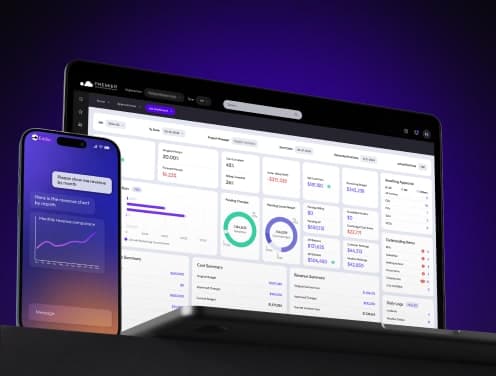
Streamlining your construction management workflow addresses these gaps. You can see where the job stands without reconstructing it from scattered records when the estimate flows into the schedule, the schedule flows into purchase orders, and actuals track back against the baseline. Construction ERP software like Premier Construction Software creates a centralized platform that connects scheduling, budgeting, document management, and team communication into a single system.
The benefits show up fast. Field and office teams work from the same current information, which means fewer handoffs and delays. Live cost tracking and automated alerts enable earlier detection of budget risks. Design changes and updates are communicated instantly to all stakeholders, which reduces rework. Project admin stops compounding when construction phases stay connected, and data created in early phases remains available and usable in later phases.
Optimizing the Estimating and Preconstruction Phase
Preconstruction sets the financial and logistical foundation for everything that follows. Get your estimate wrong by 15%, and that error compounds through procurement, scheduling, and execution. Rework historically consumed over 12.4% of project budgets in total, but rigorous preconstruction planning has driven that figure down to between 5% and 9%.
Accurate Cost Estimation Techniques
Cost estimation determines whether your project survives or bleeds money. Different methods fit different project stages. Choosing the wrong approach at the wrong time creates budget chaos.
Unit cost estimating calculates expenses based on standard measurements like cost per square foot or per cubic yard. You're building a warehouse, so you estimate the square foot cost and multiply by the area in total. This method works for quick early estimates but lacks the precision that final budgets need.
Assembly estimating breaks projects into major components like foundations, structural frames, and roofing. Costs get estimated for each assembly, then totaled. This provides better detail than unit cost methods and helps with planning.
Parametric estimating uses statistical models and historical data to predict costs based on project variables such as size, location, and design complexity. Parametric estimating delivers accurate projections when you have well-defined parameters and detailed historical records.
Detailed estimating lists every single item, task, and resource required. It calculates costs individually before summing them. This bottom-up approach takes the most time but provides the highest accuracy. You need this level of detail for final budgeting and bid preparation.
Analogous estimating relies on historical data from similar past projects to forecast new project costs. This quick method helps when detailed information isn't available yet, though it assumes past conditions match current ones.
Quantity takeoffs generate detailed lists of materials and labor needed to complete the project. These quantities then get costed to establish resource requirements. Accurate takeoffs prevent underestimating scope. This protects profit margins from day one.
Resource Planning and Allocation
Resource allocation assigns labor, materials, and equipment to each scheduled task. Over-allocation burns money on unnecessary costs. Under-allocation causes delays that trigger cost overruns.
Effective allocation starts by matching resource availability to task requirements. Determine your project timeline and itemize tasks with deadlines. Calculate required resources and assign them to appropriate activities, suggesting exactly when you'll need them.
Labor shortages hit 80% of contractors. This makes workforce planning critical. Monitor schedules, team bandwidth, and jobsite capacities to balance workloads. Smart allocation becomes your survival strategy when you can't find qualified workers.
Equipment and materials must arrive exactly when needed. Scheduling defines when these resources are required. This enables timely purchasing and deliveries. It reduces storage needs, minimizes idle inventory, and lowers the risk of work stoppages.
Creating Realistic Project Timelines
Timeline creation begins with a Work Breakdown Structure that divides scope into manageable tasks. This foundation supports scheduling and resource allocation across the project in full.
Identify task dependencies next. Plumbing gets installed before electrical work, and both occur before drywall. Establishing these relationships prevents bottlenecks and keeps work flowing.
The critical path outlines the longest sequence of dependent tasks. It determines minimum project duration. Any delay on the critical path pushes back your completion date. List all tasks, sequence them based on dependencies, and estimate durations using past experience and specialist input.
Build contingency days into your schedule to absorb unforeseen delays. Refer to data from previous jobs when you estimate task durations. Historical productivity information proves invaluable, especially for similar tasks.
Construction accounting software connects estimating, scheduling, and resource allocation in one platform. Your estimate flows directly into your schedule, and resources arrange automatically with sequenced tasks. This stops you from losing 30% of the data by closeout.
Streamlining Project Planning and Scheduling
Your schedule becomes meaningless without a stable baseline to measure against. Project managers who focus on clear milestones see 30% more success in meeting their deliverables. Companies that line up workflows with these targets finish 25% more likely to complete tasks on time and within budget. The planning phase produces more than dates on a calendar. It creates the control structure that governs execution.
Setting Clear Milestones and Deliverables
Milestones mark the most important completion points that signal when one phase ends and another begins. Foundation completion tells you it's time to return excavation equipment, release concrete subcontractors, and change safety protocols. These checkpoints don't track effort. They focus only on results when teams complete something substantial.
Three characteristics make milestones work. First, make them specific and measurable rather than vague aspirations. "Complete foundation" works better than "make progress on foundation." Second, assign exact dates to create clarity and set expectations with management and clients. Third, line up each milestone with a specific objective throughout the project.
Common construction milestones include project start and finish dates, completed design blueprints, client approvals, finalized project teams, kickoff meetings, phase completions, and substantial completion. Substantial completion often represents the only milestone mentioned in contracts, making it especially critical. Missing this date can trigger liquidated damages and financial losses for building owners.
Deliverables represent the actual outputs your team creates: completed foundations, structural framing, or installed HVAC systems. Each deliverable needs its dependencies mapped out and shows how tasks relate and which must finish before others start. This dependency mapping prevents bottlenecks and helps identify your project's critical path.
Break deliverables into phases by setting construction milestones to better track progress. This approach transforms overwhelming scope into manageable checkpoints that teams can rally around.
Task Dependencies and Sequencing
Task dependencies define the relationships between activities based on their sequence. A dependent task requires one or more other tasks to be completed or started before work can begin. You can't hang drywall before framing is done. Understanding these logical ties determines whether your schedule reflects reality or wishful thinking.
Four dependency types structure construction sequencing:
- Finish-to-start: The dependent task cannot start before another completes. Design cannot begin until requirements are finalized.
- Start-to-start: The dependent task cannot begin until another also begins. Technical documentation cannot start until QA testing begins.
- Finish-to-finish: Teams cannot finish the dependent task until another completes. Sprinkler system testing cannot finish until all shrubs are planted.
- Start-to-finish: The dependent task remains incomplete until another begins. A security guard cannot finish their shift until the next guard arrives.
The Critical Path Method identifies the sequence of activities that determines minimum project completion time. Tasks on the critical path have zero float or slack. Any delay in these activities pushes back your entire project. Non-critical activities contain float that you can use for resource leveling and reallocate crews or equipment without affecting the end date.
Construction data shows 98% of megaprojects face delays or budget overruns. Large projects finish an average of 20% behind schedule. Poor sequencing ranks among the biggest causes. When work happens in the wrong order, crews wait and trades overlap. Small delays cascade into major schedule problems.
Building Flexibility into Your Schedule
Schedules change as conditions change. Weather, material delays, labor availability, and scope adjustments all require adaptation. Allocate buffer periods for unforeseen events rather than creating a schedule so tight that a single delay cascades into major overruns.
Rolling Wave Planning embraces this reality by planning near-term work in detail while keeping future work at a higher level. The next wave gets planned in greater detail as the project progresses and more information becomes available. Set up recurring meetings bi-weekly or monthly to detail the next wave of work packages. This approach works especially well for long-term or uncertain projects where planning every detail upfront proves impractical.
Baseline integrity depends on incorporating risk allowances and recovery logic from the start. Identify pressure points in advance and set predefined responses. Decisions happen faster with less debate when teams know the expected action for specific slippage thresholds or cost exposures.
Resource leveling adjusts task start and finish dates to resolve conflicts when resources get over-allocated. Resource smoothing optimizes usage within existing schedule float without altering the critical path or completion date. This prevents team burnout and maintains project momentum.
Enhancing Communication and Collaboration
A plumber finds an HVAC duct blocking the pipe route. He calls the superintendent to solve the routing problem together in a well-laid-out project. He removes the duct and leaves someone else to find the broken system in a poorly laid-out one. That single communication breakdown cascades into rework, schedule delays, and finger-pointing. Almost half of all rework stems from poor communication among project stakeholders.
Establishing Clear Communication Channels
Channel confusion kills productivity faster than bad weather. Critical details disappear when your team juggles texts, emails, phone calls, an app, and a trailer whiteboard for project information. You need one designated channel for each communication type:
- Main project communication: One platform handles all project updates, task assignments, and documentation. This becomes your single source of truth.
- Urgent or safety problems: Phone calls only. Pick up the phone if someone is hurt or a decision needs to happen in 30 minutes.
- Owner and stakeholder updates: Email or shared portal depending on client preference. Keep these formal and documented, with weekly written updates as the minimum.
- Daily field coordination: Short huddles or quick group messages in your project app covering what happens that day, what help is needed, and what changed since yesterday.
- RFIs and submittals: Always in writing, always logged, always trackable.
The key rule: every communication type has one designated channel. The answer should never be "check your texts, email, and the app" when someone asks "where do I find that?".
Meeting structure prevents wasted time. Run a preconstruction kickoff once before mobilization with every key player present. Weekly progress meetings become your backbone, same day and time every week for 30 to 60 minutes. Daily 10-minute huddles before work starts keep crews aligned on active areas, safety concerns, and material needs.
Coordinating Between Office and Field Teams
Field crews handle conditions that change quickly, shifting priorities, and safety concerns that need attention now. Office teams manage budgets, schedules, compliance, and client reporting. These different environments create information bottlenecks when teams rely on disconnected spreadsheets and fragmented systems.
Poor communication costs the construction industry over a billion dollars annually. Material overages happen without live updates. Crews wait for clarification on drawings buried in email threads. Minor disagreements over change orders escalate without clear documentation trails.
Companies that promote communication reduce employee turnover rates by 50%, according to industry data. Communication flows naturally and informed decisions happen faster when field and office teams share access to project data.
Managing Stakeholder Expectations
Project managers must define and manage each stakeholder's expectations to deliver projects that meet planned targets. The Project Management Institute says that managing stakeholders actively increases the likelihood that projects won't veer off track due to unresolved problems.
Working with stakeholders to define what success looks like is step one. Many projects define success through the triple constraint: on time, on budget, within specifications. But the project manager's real job is serving as an "expectation manager" and "creator of options".
Set ground rules early. Have an original face-to-face meeting with sponsors covering project manager roles and responsibilities, authority limits, communication preferences, and frequency. One effective question to ask sponsors: "When do you want to hear the bad news?". This establishes transparency from the start.
External stakeholders prove more critical than internal ones in construction projects. Governmental authorities, the general public, and affected local communities all pursue expectations aligned with social, environmental, and economic sustainability objectives. Project managers must acknowledge these expectations and employ strategies to curtail resulting effects while maximizing mutual benefits.
Reinforcing expectations throughout the project prevents scope creep. You've set the expectation that there is no change control if additional requirements sneak into deliverables without integrated change control. People treat you in the manner you allow them. Set expectations, set ground rules, and reinforce them.
Implementing Construction Workflow Software and Technology
Construction professionals spend between 35% and 40% of their time on activities that don't move projects forward. This includes rework, administrative tasks and searching for information. A project manager working 50-hour weeks loses roughly 20 hours to manual data entry and status updates rather than actual project delivery. Construction workflow software eliminates this productivity drain, but you need to choose and implement it the right way.
Choosing the Right Project Management Platform
Your software selection determines whether technology becomes an enabler or another administrative burden. Start by assessing which manual tasks consume the most time and could be automated. Research platforms based on your business goals and budget, then request demos using real project data from your active jobs.
Integration capabilities matter more than feature lists. Construction projects involve different systems and stakeholders, so choose software that connects naturally with tools you already use like ERP systems, accounting software and project management platforms. Your workflow software should exchange data with your accounting department's specific tool without manual input.
Mobile access proves critical since teams split between office locations and active construction sites. The platform should offer full functionality on smartphones and tablets to address the need for live updates and decisions from the field. A platform that works well on desktop but awkwardly on mobile will see low field adoption. Your automation only works as well as the data fed into it.
Customization options allow the software to arrange with your specific workflow needs rather than forcing you to change how you work. This could mean adjustable dashboards for different roles or knowing how to modify forms and reports to match project requirements.
Automating Repetitive Tasks
Automation handles rule-based steps in your construction project workflow without manual input. The system detects uploads and alerts relevant stakeholders when drawings update. You don't need to draft notifications every time.
54% of workers spend five or more hours per week on tedious tasks requiring little creativity. For 16%, it reaches 10 or more hours. Automating these repetitive processes could increase productivity up to 25% for affected workers.
Document routing represents one of the highest-value automation opportunities. Automated workflows route documents to the right reviewers and log version history without email chains when drawings, submittals or RFIs get uploaded to your construction management workflow platform. This proves valuable on multi-trade projects where updated drawings may need to reach five different subcontractors at once.
Time tracking automation removes buddy punching and manual timesheet collection. Contractors who switch from paper-based tracking to automated systems see a 2% to 5% reduction in labor costs from eliminating rounding errors and inaccurate entries.
Automated reporting delivers weekly job costing summaries, monthly P&L breakdowns by project and crew utilization reports using live project data. These reports either arrive too late or don't get built at all when built manually. Configure the report once, define the schedule and it runs independently.
Change order approvals benefit from automated notification and routing logic. The system alerts every required reviewer in sequence and creates the paper trail without manual effort. Teams reach approval faster. Disputes decrease because the audit trail is complete.
Centralizing Project Documentation
Construction projects generate mountains of documentation from blueprints and contracts to safety reports and inspection logs. Centralized systems create a single source of truth and store drawings, contracts, RFIs, submittals and reports in one controlled environment. This eliminates duplicate files across email threads and shared drives while keeping folder structures consistent across projects.
A single repository strengthens accountability and simplifies handover. You risk miscommunication, lost files and delays when documentation scatters across multiple systems. Studies show up to 30% of data created during design and construction phases are lost by project closeout.
Administrative bottlenecks affect schedule performance. Manual routing of submittals, RFIs and approvals creates delays. Integrated document workflows route reviews on their own, set approval deadlines and keep visibility on outstanding items. Approvals move faster and coordination improves when your document control framework arranges with project timelines.
Version control prevents crews from working with outdated information. Revisions get managed so only the latest approved versions are used on site. Superseded documents are archived, version histories are kept and changes are tracked to prevent rework, errors or disputes.
Live Data Access and Updates
Live data improves productivity and reduces project costs. The update becomes visible for everyone using the system whenever someone makes or changes a booking. The entire team sees this booking through the software if a delivery is scheduled for a certain time at a particular loading dock.
This visibility reduces the chance that another booking will be made for the same time and same loading dock. Live data gets everyone on the same page right away.
The information teams access remains accurate because it connects everyone with the most recent data without delay. This helps managers make decisions, as the data they work with stays as current as possible. The team receives maximum notice of this schedule update if everyone knows a booking changed to another time.
Access to live data helps managers spot complications fast. Managers identify this as soon as the check-in time passes if a delivery vehicle runs late because either a team member enters the delivery's absence into the software or automatic sensors identify the vehicle isn't present. Spotting challenges sooner proves beneficial to rectify complications before they cascade.
Improving Field Execution and Monitoring
Field execution separates plans from reality. You built a perfect schedule and locked down your budget, but now crews deal with weather delays, material shortages and unexpected site conditions. Small deviations compound into project-killing problems without disciplined monitoring.
Tracking Progress Against Milestones
Progress tracking compares planned performance against actual performance so teams can identify deviations and act on them before they compound. The problem starts early. SmartPM's 2025 State of Construction Scheduling Report shows that 76% of construction projects finish behind their original baseline, and only 12% of baseline schedules meet quality standards at the outset.
Most teams track progress monthly. A superintendent fills out a daily report, a scheduler runs a monthly update, and leadership gets a PDF with a bar chart. Those monthly progress reports surface the delays after they have already happened. Weekly or bi-weekly updates on active projects catch float erosion on the critical path before completion dates slip out of reach.
Milestone tracking provides clear checkpoints without getting bogged down in excessive detail. Teams redirect resources to hit the goal when a project reaches a milestone by its set deadline but isn't on track.
Managing Change Orders
Change orders modify the original construction contract and alter project scope, schedule or cost. AIA Contract Documents shows the average number of change orders ranges from 1.7 for small projects to 11.18 for large projects.
Many teams underestimate the cumulative schedule effect of poorly processed changes. Data from the Navigant Construction Forum attributes 10-20% of all project timeline delays directly to the change order process itself. Research by HKA identified scope change as the top cause of claims and disputes on 38.8% of construction projects worldwide.
Change order management that works requires processing changes promptly to minimize project delays, maintaining accurate documentation and tracking all open items in a central location. A joint study by Autodesk and FMI found that 52% of construction rework costs the U.S. industry over $31 billion annually due to poor project data and miscommunication.
Quality Control and Safety Compliance
Quality control during construction consists of confirming conformance to original design and planning decisions. Defects or failures result in very large costs. Reconstruction may be required and facility operations impaired even with minor defects.
Regular inspections and tests of materials, equipment and workmanship detect deviations from project specifications. Inspections confirm structural integrity, foundation stability and compliance with engineering designs. Construction teams prevent expensive rework later in the process by identifying and addressing quality issues early.
Decisions made during the planning and design process influence safety during the construction project in large part. OSHA inspectors conduct site visits and are required by law to issue citations for all standard violations observed. Only a small fraction of construction sites receive OSHA visits, making safety the responsibility of managers on site.
Addressing Issues Before They Escalate
Reactive construction management looks at past progress and then responds in an attempt to move forward. You're left trying to put out fires with little chance to get ahead of plans.
Small issues or plan deviations can spiral out of control faster if not caught and addressed early. Buildots tracked a 36-story building project where one trade started deviating from the project plan by 6%. The construction manager addressed this with the contractor right away. Two weeks later, the contractor was back on track and trailing by only 1%. The contractor's deviation could have become too great to recover if left unchecked.
A proactive approach uses objective data rather than subjective data at its core. Construction teams rely on manual reporting, which leads to lack of visibility. Decisions get made based on missing or incorrect information.

Managing Common Workflow Bottlenecks
Bottlenecks choke project velocity whatever your upfront planning looked like. Research shows that 26% of rework stems from poor communication alone, with another 22% attributed to inaccurate project information. These constraints compound quickly when you leave them unaddressed.
Eliminating Communication Gaps
Designers, contractors and clients create misunderstandings that require rework when they communicate ineffectively. Language barriers cause miscommunication among crews frequently. Site leads should confirm everyone understands directives before work begins. Centralized document management systems and up-to-the-minute project reporting reduce ambiguity.
Reducing Delays from Approvals
You get forced into the queue again when incomplete submissions get redlined and sent back. Weak structural drawings that lack supporting calculations will get rejected. The single most effective tactic involves meeting officials early before you submit drawings. Discuss what you're planning and ask about requirements upfront.
Preventing Material and Equipment Shortages
Over 70% of construction firms have experienced project delays due to material availability issues. Early purchasing commitments for critical materials reduce delay risk by a lot, even before you complete construction documentation. Multi-source qualification establishes relationships with multiple qualified suppliers.
Minimizing Rework and Errors
Rework contributes 5-10% of total construction expenses and reaches up to 30% in specific instances. Design errors, poor workmanship, material defects and scope changes drive most rework. Poor planning and scheduling result in rushed work and errors that require corrections. Digital quality management tools that capture data as it happens allow teams to address issues while they remain localized.
Streamlining Project Closeout and Handover
The final 5% of construction work often consumes 20% of your schedule. Closeout transforms scattered tasks into formal completion, but you need to manage it with care.
Managing Punch Lists Effectively
Contractors and owners create punch lists during substantial completion at the time projects reach 95-98% finished. They conduct a walkthrough together and compile items that remain incomplete, don't work as expected, or deviate from approved building plans. Projects have hundreds or even thousands of punch items most of the time. Large commercial buildings with multiple stories can accumulate tens of thousands with ease.
Digital punch list solutions outperform paper methods. They eliminate miscommunication and provide up-to-the-minute status visibility.
Final Inspections and Documentation
Final inspections assess building safety. They check compliance with local building codes and confirm that previous inspection issues have been resolved. Licensed inspectors from local building authorities conduct these reviews, which are required to get a certificate of occupancy in most cases.
Closeout documentation has as-built drawings reflecting final construction details, operation and maintenance manuals, warranties, product data, and final affidavits. You should organize these materials with clear naming conventions and well-laid-out digital folders.
Client Sign-off and Approval Process
Formal sign-off confirms that all deliverables, objectives, and contractual obligations have been met before official project closure. This process reduces post-project disputes because teams address deliverable acceptance and scope confirmation before closure.
Conclusion
You now have the blueprint for simplified construction processes from estimating through closeout. The data speaks for itself: 76% of projects finish behind schedule and poor communication costs the industry over a billion dollars annually. Disconnected systems and manual handoffs continue killing your margins.
Construction ERP software from Premier Construction Software connects every phase into one platform. Your estimate flows into scheduling and field teams update progress live. Closeout documentation stays ready without the scramble.
Start by fixing your biggest bottleneck. You'll stop losing 30% of project data and start finishing jobs on time and on budget.
Latest articles



Trusted by global leaders
Join those who have put their trust in us