
The Complete Guide to WIP Reports in Construction Accounting
Last updated: April 2026
If you are a controller at a general contracting firm, you already know the drill. You spend half a day stitching together a WIP schedule in Excel, pulling cost data from one system, billing data from another, and change order totals from a third. By the time the spreadsheet is done, the numbers are already stale. Something has posted. Something has changed. And you start over.
A WIP report is not merely an accounting deliverable. It tells you whether each job is making or losing money, whether your billing is ahead of or behind earned revenue, and whether your cash flow forecast is grounded in reality. This guide covers what a WIP report is, why it matters, how to build and read one, the mistakes that derail it, and how to stop doing it manually.
What Is a WIP Report in Construction?
Definition: A WIP (Work in Progress) report in construction accounting is a financial document that shows the status of every active job: how much revenue has been earned, how much has been billed, and whether each project is overbilled or underbilled. It is the primary tool contractors use to recognise revenue accurately and spot cash flow risks early.
Most industries recognise revenue when a product ships or a service is delivered. Construction does not work that way. Projects span months or years. Costs accumulate unevenly. Clients are billed on negotiated schedules that rarely align with actual progress. Without a mechanism to compare earned revenue against billed revenue at a point in time, the financial statements are fiction.
That mechanism is the WIP report. It applies the percent complete method (recognised under ASC 606 and the legacy percentage-of-completion guidance) to calculate how much revenue a contractor has earned based on costs incurred relative to total estimated costs. The result is a job-by-job snapshot that shows exactly where every project stands financially, not where invoices say it stands.
Why WIP Reports Matter (and What Happens Without Them)
A WIP report is not optional paperwork. It is the difference between knowing your financial position and guessing at it. Here is what is at stake when WIP is wrong, late, or missing entirely.
Month-End Surprises
Without current WIP data, margin erosion hides inside jobs until it is too late. A project that looked profitable at the last review may already be underwater by the time the next month-end close reveals the damage. The earlier you catch a cost overrun, the more options you have: renegotiate scope, tighten field spending, or submit a change order. A stale WIP schedule eliminates those options.
Overbilling Risk
Overbilling means you have invoiced the client for more than the work you have completed justifies. On paper, it looks like positive cash flow. In reality, it is a liability: you owe the client work you have been paid for but have not yet delivered. Auditors, lenders, and bonding companies scrutinize overbilling closely. Chronic overbilling can trigger audit findings, tighter bonding limits, and lender concerns about financial controls.
Underbilling and Silent Cash Flow Bleed
Underbilling is the opposite problem: you have completed work, but have not invoiced for it. It is an asset — money the client owes you — and it does nothing for cash flow until you bill and collect it. Companies that chronically underbill are financing the client's project out of their own pocket.
Bonding and Lending Requirements
Surety companies and construction lenders require WIP schedules as part of their underwriting process. An accurate, auditable WIP report demonstrates financial discipline and reduces perceived risk. Contractors with inconsistent or manually assembled WIP data often face reduced bonding capacity or higher premiums.
The Cost of Manual WIP
Companies that run WIP in Excel spend 8 to 20 hours per month building the schedule, and the result is fragile. According to research cited by Procore, 94% of spreadsheets contain errors. Nearly 9 in 10 manually maintained spreadsheets used in business have errors significant enough to affect decisions. In construction, where a single misallocated cost code can distort an entire job's percent complete, the risk compounds fast.
Key stat: McKinsey research estimates that 98% of megaprojects experience cost overruns of more than 30%, with an average increase of 80% over the original estimate. WIP reports are the early warning system that catches these overruns at the individual job level before they cascade into a company-wide problem.
The 7 Core Components of a WIP Report
Every WIP schedule is built from the same seven columns. If your report is missing any of these, it is incomplete.
Column | What It Measures |
|---|---|
Contract Value | Total revised contract amount, including all approved change orders |
Estimated Total Cost | Projected cost to complete the full job (original estimate plus approved adjustments) |
Costs to Date | All costs incurred on the job so far: labour, materials, subcontractors, equipment |
Percent Complete | Costs to date divided by estimated total cost |
Earned Revenue | Contract value multiplied by percent complete |
Billed to Date | Total amount invoiced to the client so far |
Over/Under Billing | Earned revenue minus billed to date (positive = underbilled; negative = overbilled) |
Contract Value reflects the current contract amount, not the original. Every approved change order should be folded in. If change orders are pending and not yet approved, track them separately — they should not inflate contract value until the client signs off.
Estimated Total Cost is the job budget plus any scope changes. This is the most sensitive number on the report. If the estimate is wrong, everything downstream — percent complete, earned revenue, and the overbilling/underbilling position — is wrong too.
Costs to Date includes every dollar posted against the job: AP invoices, payroll, equipment charges, and subcontract billings. Committed costs (purchase orders and subcontracts that have been executed but not yet invoiced) should be tracked alongside costs to date to ensure the estimate-at-completion picture is complete.
Percent Complete is the cost-to-cost ratio: costs to date divided by estimated total cost. This single number drives revenue recognition. It must reflect actual job progress, not billing progress.
Earned Revenue is the contractor's revenue based on work performed: contract value multiplied by percent complete. It is independent of what has been billed.
Billed to Date is the sum of all invoices submitted to the client. Billing schedules are driven by contract terms, not by cost incurrence, which is why billing and earned revenue almost never match.
Over/Under Billing is the gap between earned revenue and billed to date. This column is the punchline of the entire WIP report. It tells you whether your billing is ahead of or behind the work you have performed.
How to Calculate WIP: The Percent Complete Method
The percent complete method (also called the cost-to-cost method) is the most widely used WIP calculation approach for general contractors. It ties revenue recognition directly to cost incurrence. Here is the formula:
Percent Complete = Costs to Date ÷ Estimated Total Cost
Earned Revenue = Contract Value × Percent Complete
Worked Example
Consider a commercial build-out project with the following numbers:
Line Item | Amount |
Contract Value | $2,000,000 |
Estimated Total Cost | $1,600,000 |
Costs to Date | $800,000 |
Percent Complete ($800K ÷ $1.6M) | 50% |
Earned Revenue ($2M × 50%) | $1,000,000 |
Billed to Date | $900,000 |
Over/Under Billing ($1M − $900K) | Underbilled by $100,000 |
In this example, the contractor has earned $1,000,000 based on work completed, but has only billed $900,000. The project is underbilled by $100,000, meaning the contractor has performed $100,000 worth of work that has not yet been invoiced. This is an asset on the balance sheet (costs and estimated earnings in excess of billings), but it represents cash the company has not collected.
Overbilling vs. Underbilling
Overbilled = billed more than earned. The contractor has invoiced ahead of actual progress. This creates a liability on the balance sheet (billings in excess of costs and estimated earnings). It can improve short-term cash flow, but if it gets out of control, it signals that billing is disconnected from actual work performed.
Underbilled = earned more than billed. The contractor has completed work, but it has not yet been invoiced. Cash flow suffers because the revenue has been recognized, but the cash is not yet in hand.
Alternative Calculation Methods
The cost-to-cost method is the standard for most GCs, but two alternatives exist. The units-of-delivery method measures progress by the number of completed units (useful for repetitive work such as housing developments). The efforts-expended method uses labour hours as the progress measure. Both are acceptable under ASC 606, but they are less common in general contracting, where cost-to-cost provides the most reliable revenue recognition for complex, multi-trade projects.
How to Read a WIP Report (Red Flags to Watch)
Generating a WIP report is only half the job. The real value comes from knowing what to look for. These are the five warning signs that experienced controllers, CFOs, and project managers watch for every time they review the schedule.
1. Chronic Overbilling
A single job that is overbilled in a given month is not necessarily a problem — billing schedules are contractual and do not always mirror cost flow. A job that is consistently and significantly overbilled over multiple periods signals a disconnect. The contractor is pulling cash forward from work not yet performed. Auditors flag it. Lenders question it. And if the job runs into trouble, the overbilled position becomes a liability with no easy fix.
2. Large Underbilling Balances
Underbilling means you have done work you have not collected for. A growing underbilling balance on a project is a cash flow risk. It can indicate slow billing cycles, disputes holding up invoices, or a project manager who is not submitting pay applications on time. The longer underbilling persists, the harder it becomes to recover the cash.
3. Estimate at Completion (EAC) Keeps Climbing
If the estimated total cost on a job keeps increasing from month to month, the job is burning through budget faster than planned. This means either the original estimate was wrong, scope has changed without a corresponding change order, or the job is experiencing productivity problems. An upward-trending EAC is the earliest financial indicator that a project is in trouble.
4. Percent Complete Stalling
When costs keep posting, but percent complete barely moves, something is off. Either the estimate has been inflated (masking how much work remains) or production has slowed without a budget adjustment. Percent complete should track roughly in proportion to costs incurred. A flat percent-complete line on a job with active cost flow deserves immediate investigation.
5. Retainage Not Tracked Separately
Retainage, the portion of each payment held back by the client until project completion, can distort the receivables picture if it is not broken out. A WIP report that lumps retainage in with billed-to-date overstates the contractor's collectible position. Best practice is to track retainage as a separate line so the true cash collection timeline is visible.
Common WIP Reporting Mistakes (And How to Avoid Them)
Five errors account for the majority of WIP schedule inaccuracies. Every one of them is preventable.
1. Using budget spent percentage instead of actual percent complete.
This is the most common mistake. Budget spent tells you how much money has gone out the door. Percent complete tells you how much work has been performed relative to the total estimate. They are two different things. A job can be 60% through its budget and only 40% complete if costs have run over. Using budget spent as a proxy for progress produces a WIP schedule that overstates earned revenue.
2. Not including approved change orders in contract value.
When a change order is approved, but the contract value on the WIP schedule is not updated, earned revenue calculations are based on an outdated number. This understates revenue and produces false underbilling positions. Change orders should be reflected in the WIP schedule for the month they are approved.
3. Running WIP once a month instead of continuously.
Monthly WIP is the minimum. If the WIP schedule only updates at the month-end close, every decision made during the month is based on stale data. High-performing contractors run WIP weekly or in real time. The closer the WIP schedule is to live data, the faster problems surface.
4. Letting project managers and accounting work off different numbers.
When the PM has one version of the job budget and accounting has another, the WIP schedule reflects neither reality. Percent complete and EAC must be driven by a single agreed-upon data set. If PMs and controllers are not reviewing the same numbers in the same system, WIP accuracy is compromised from the start.
5. Not tracking committed costs.
Purchase orders and subcontracts represent future cost obligations. If they are not visible alongside actual costs, the estimate at completion is incomplete. A job that looks healthy based on costs to date can be significantly over budget once committed costs are factored in. WIP should include a committed cost column or a cost-to-complete adjustment that accounts for outstanding commitments.
WIP Automation: How Construction ERP Replaces Excel
Spreadsheets served their purpose when the tools did not exist. Now they are the bottleneck.
What Manual WIP Actually Costs
A controller building WIP in Excel every month is typically pulling data from three or more systems: an accounting platform, a project management tool, and a billing tracker. The aggregation takes hours. The cross-referencing takes more. And the result is a static snapshot that begins aging the moment it is saved. According to CMiC, 91% of construction companies still use spreadsheets at some stage of financial planning, budgeting, or forecasting and the error rate on those spreadsheets creates real financial exposure.
What Automated WIP Looks Like
In a construction ERP, costs are posted directly from accounts payable, payroll, and subcontract billing workflows. Every cost entry updates the job's costs-to-date figure in real time. Percent complete recalculates automatically. Earned revenue adjusts. The WIP report does not need to be built, it already exists, current to the last posted transaction.
What Construction ERP Does That Excel Cannot
- Flags overbilling in real time: the system alerts when billing exceeds earned revenue on any job, before month-end close.
- Connects WIP to billing workflows: pay applications, retainage, and change orders feed directly into the WIP schedule without manual data entry.
- Gives PMs and finance the same numbers: one data set, one system. No version conflicts. No reconciliation spreadsheets.
- Tracks committed costs alongside actual costs: purchase orders and subcontracts appear on the job cost ledger the moment they are executed, giving controllers a complete cost-to-complete picture.
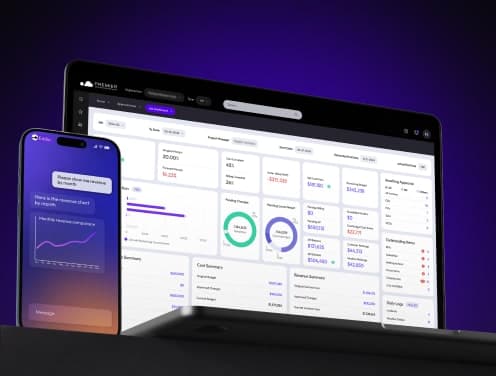
Premier Construction Software automates the entire WIP process: costs are posted directly from AP, payroll, and subcontract workflows, and the WIP report updates in real time. Controllers at Premier Construction Software customers report pulling a full WIP schedule in under two minutes. Named the #1 Construction Cloud ERP by Forbes Advisor for 2026, Premier Construction Software serves 800+ customers and 15,000+ users with a 60-day implementation.
WIP Report Template: What to Include
Additional columns that strengthen the template:
A standard WIP report template includes one row per active job and the seven columns described earlier: contract value, estimated total cost, costs to date, percent complete, earned revenue, billed to date, and over/under billing.
- Job number and job name: for identification
- Project manager: accountability by name
- Cost to complete: estimated total cost minus costs to date
- Projected gross profit: contract value minus estimated total cost
- Retainage held: tracked separately from billed-to-date
- Committed costs: outstanding POs and subcontracts not yet invoiced
A downloadable Excel template is a useful starting point for contractors who do not yet have construction accounting software. Any static template has an inherent limitation, though: it is only as accurate as the last time someone updated it. Live data feeding the WIP schedule from a construction ERP eliminates the lag.
Frequently Asked Questions
What does WIP stand for in construction accounting?
WIP stands for Work in Progress. In construction accounting, it refers to the financial tracking of ongoing projects: specifically, the comparison between revenue earned (based on percentage of completion) and revenue billed to the client. A WIP report shows whether each active job is overbilled or underbilled, and by how much. It is the foundation of revenue recognition for contractors using the percent complete method.
What is the difference between overbilling and underbilling in construction?
Overbilling means a contractor has invoiced more than the percentage of work completed justifies, creating a liability on the balance sheet. Underbilling means the contractor has completed more work than invoiced, creating an asset (money owed, but not yet collected). Both have cash flow and audit implications. Lenders and bonding companies scrutinise the overbilling/underbilling schedule closely when evaluating a contractor's financial health.
How often should a WIP report be run?
Best practice is to run a WIP report at least monthly, ideally at the close of each billing cycle. High-growth contractors and those with bonding requirements often run WIP weekly or in real time. Waiting until year-end is a common mistake; by that point, problems on individual jobs are too late to fix. The more frequently you review WIP, the earlier you catch margin fade and cash flow gaps.
What is the percent complete method in construction WIP?
The percent complete method calculates project progress by dividing costs incurred to date by total estimated costs: (Costs to Date ÷ Estimated Total Cost) = % Complete. That percentage is then applied to the contract value to determine earned revenue. It is the most widely used WIP calculation method for general contractors and is consistent with the revenue recognition guidance under ASC 606.
Do I need WIP reports for bonding or lending?
Yes. Surety bonding companies and construction lenders routinely request WIP schedules as part of their underwriting. An accurate, auditable WIP report demonstrates financial control and reduces perceived risk. Contractors with inconsistent or manually assembled WIP reports often face tighter bonding capacity or higher rates. A clean WIP schedule is one of the first documents a surety will ask for.
How does construction accounting software automate WIP reports?
Construction ERP software connects job costing, accounts payable, payroll, and billing data in one system. As costs are posted, the system updates percent complete and earned revenue automatically. A WIP report that previously took hours to build in Excel can be generated in seconds — with live data from every active job. Automated WIP also eliminates version conflicts between project managers and accounting.
What is the difference between WIP and job costing?
Job costing tracks actual costs against budget categories (labour, materials, subcontractors, equipment) on each project. WIP uses job costing data as an input, but it adds a layer of revenue recognition. While job costing tells you what you have spent, WIP tells you what you have earned relative to what you have billed. Both are essential, and in a construction ERP, they feed the same data set.
Ready to Pull WIP in Two Clicks?
You know what a WIP report is. You know how to calculate it, what to look for, and what mistakes to avoid. The only question left is whether you are building it manually every month, or whether it is there when you need it.
Premier Construction Software generates a complete, real-time WIP schedule in two clicks. No data exports. No cross-referencing. No stale numbers. Costs flow in from AP, payroll, and subcontract workflows automatically. Percent complete updates as costs post. And the WIP report is ready the moment you open it.
See how Premier Construction Software automates your WIP schedule → Book a Demo
Latest articles




Trusted by global leaders
Join those who have put their trust in us