Features of Construction Financial Software: The Ultimate Guide for Contractors
Last updated: November 2026
The features of construction financial software you choose can boost a project's profit by up to 10%. Construction accounting differs from retail or manufacturing. Project-based work requires job-specific financial data for every contract. General accounting tools can't track committed costs and retainage the way construction financial management software does. LionHeart, to name just one example, grew by 40% without adding accounting staff. They used financial software for construction companies that optimized their data and handled industry-specific demands. This piece walks you through the features of construction financial software that contractors use to manage profitability and make better decisions.
Why Construction Financial Software is Different from General Accounting Tools
General accounting software operates on basic contours: track income and expenses across your company. Construction financial management software starts from a different foundation entirely.
Project-based tracking requirements
Your accounting system needs to treat every construction project as its own business. Retailers track inventory. Service companies bill by the hour. Construction firms manage dozens of temporary profit centers at once. Each project carries different contract terms, cost profiles and risk exposure.
Construction projects span weeks, months or years. Costs pile up before you receive payment during that time. You're buying materials and paying labor. You manage equipment across multiple job sites. General accounting tools assume revenue and expenses happen in neat cycles that you can predict. They can't handle construction work where a single contract might stretch across three fiscal quarters.
Decentralized production creates another layer of difficulty. Your crews work at different sites. Equipment moves between projects. Subcontractors juggle multiple jobs. Standard accounting software expects everything to happen in one location with predictable costs. That model falls apart when you manage construction work.
Job costing becomes the backbone of your financial tracking. You need to capture every direct cost (materials, labor and subcontractor fees) and indirect cost (equipment rentals and transportation) tied to specific projects. Premier Construction Software handles this through construction ERP capabilities that connect job site activity to your financial records.
Revenue recognition adds complexity that general tools weren't built to manage. Most construction revenue falls under ASC 606 standards. You recognize revenue based on performance obligations as the project progresses, not when you send an invoice. A general accounting system can't track percentage of completion or settle billed amounts against actual progress. The result? You end up calculating whether you've overbilled or underbilled clients manually.
Industry-specific compliance needs
Construction accounting doesn't just follow different practices. It operates under different rules.
ASC 606 governs how you recognize revenue from contracts. Your financial software needs to track interim performance obligations and adjust revenue recognition as project conditions change. Material delays push back your schedule. Revenue recognition shifts so. Standard accounting tools lack the framework to handle these adjustments.
Bonding requirements force you to demonstrate financial strength and transparency on demand. Sureties want detailed reports that show project profitability and cash position. You can't pull that together from a general ledger built for retail or manufacturing.
Retainage creates another compliance wrinkle that general accounting can't handle. You might withhold 10% of payments to subcontractors until project completion. Owners withhold retainage from your invoices at the same time. Tracking these withheld amounts on both accounts receivable and accounts payable requires specialized functionality.
Tax compliance gets complicated fast. Different jurisdictions have different rules. Union projects require certified payroll. Change orders affect your contract value and tax obligations. General accounting software treats taxes as a simple percentage calculation. Construction reality is messier.
Multi-stakeholder coordination demands
Construction projects involve more parties than most industries manage. You coordinate with owners, architects, engineers, general contractors, subcontractors and suppliers. Each organization has contractual responsibilities, risk exposure and reporting requirements.
Most general accounting platforms follow a single-owner model. One company owns the system and invites others as guests. This creates problems. Subcontractors maintain parallel systems for their records. Data gets entered multiple times. An RFI appears in your system, the architect's system and the contractor's internal tracking tool.
Multi-entity operations add another dimension. You might manage separate project companies, joint ventures or geographically dispersed subsidiaries. Financial software for construction companies needs to consolidate data across these entities while maintaining clear boundaries between them.
Standard accounting tools weren't designed for this reality. They assume financial data stays within one organization. Construction requires shared participation where multiple parties work from the same dataset while maintaining appropriate access controls. Your subcontractors can't work inside your system. They export files and create security risks. This becomes a legal exposure you can't afford for projects with strict compliance requirements.
Core Accounting Features in Construction Financial Management Software
Construction accounting management software builds on a foundation that most contractors overlook: your chart of accounts. This framework determines how you track every dollar that moves through your business.
General ledger and chart of accounts
Your chart of accounts mirrors how you estimate and execute work in the field. Your reports become easier to read when cost codes and accounts line up, and your performance metrics mean something.
Construction companies organize accounts different from other industries. You hold more equipment and track retainage on both sides of transactions. Materials inventory sits on job sites for weeks. Asset accounts need to reflect this reality. You track cash and operating accounts, accounts receivable, and retainage receivable as a separate line item. Add inventory, prepaid expenses, work in progress, and fixed assets like vehicles and equipment. Don't forget accumulated depreciation.
Liability accounts in construction move faster than most industries because you juggle multiple projects with different payment cycles. Your liability structure should include accounts payable, credit cards, and lines of credit. Track retainage payable to subcontractors, payroll liabilities and taxes, and sales tax payable. Include accrued expenses and equipment loans. Clean liability tracking gives you an accurate view of your cash position rather than scrambling at bill time.
Revenue breakdown matters more than you might think. Separate contract revenue from change orders and service work instead of dumping all earnings into one account. Some contractors also split revenue by project type, especially when margins vary between service jobs and remodels.
Cost of goods sold accounts are the foundations of construction accounting. These accounts capture real direct costs on projects: direct labor, materials, subcontractors, equipment rental, fuel, small tools, permits, and trucking. Your COGS setup affects how strong your WIP reports are and how reliable your margin analysis becomes.
Overhead covers everything you need to run the business but can't tie to a single job. Office salaries, rent, insurance, software, utilities, marketing, and professional fees all land here. Overhead creeps upward as companies grow, so clear categories help you spot trends early and understand whether your margins can support growth.
Accounts payable automation
Manual AP processes drain resources that could go toward strategic work. Finance teams spend upwards of 25 hours a week on manual data entry and reconciliation across multiple applications.
Accounts payable automation for construction centralizes purchase-to-pay processes and automates labor-intensive tasks. AI-powered systems extract vendor name, amount, and line items from invoices. Bills route for approval based on rules you set by job, amount, or vendor.
The benefits show up quickly. Automated data capture uses AI to extract accurate information from invoices and verify the data. AP automation has built-in audit trails, so accounting teams can prove invoices are processed right and maintain compliance with financial regulations.
Your vendor relationships improve when payments happen faster and more precise. Timely payments and transparent records put your construction company in a better position to negotiate, which can guide you to cost savings and additional services. You can also capture early payment discounts to protect margins and detect duplicate or off-budget invoices.
Accounts receivable management
Construction payment cycles stretch longer than most industries. 83 days on average to get paid. That timeline creates cash flow pressure unless you manage receivables.
Smart AR management starts before you sign the contract. Check a client's credit history before closing the deal. A client's credit history indicates their knowing how to meet financial obligations and pay you. Any construction company that closes a deal without researching a client's credit rating risks getting a bad debt.
Documentation accuracy matters more than most contractors realize. Wrong information such as typos in physical or email addresses leads to invoices being sent to the wrong recipients and causes delays. Create a centralized location for invoice data so all information you need stays available. Regular audits of customer accounts verify that information is accurate and let you know which accounts are due.
Automation solves the inefficiency of spreadsheets. Many construction businesses still rely on spreadsheets for accounts receivables, but manual entry is prone to mistakes and may lead to outdated invoice information. Dedicated software that connects to your accounting books helps you identify invoices at risk of becoming way past due. Automation can also help you send invoices, preliminary notices, and other pre-lien documents to help you in the mechanics lien process.
Multi-entity and consolidation support
Multi-entity accounting addresses the mechanics of financial management for multiple legal entities within a parent company or group under common ownership. This approach unifies disparate financial records yet maintains appropriate boundaries.
Consolidation complexity depends on your ownership structure. Combination works when entities are under common control but lack an ownership relationship, like when two companies are owned by the same individual but are not linked. Accountants can add the entities' financial statements together with less regulation of intercompany transactions.
Consolidation is more complex and common. Companies use it when they have ownership interests in each other, and there are rules for eliminating intercompany transactions, combining like items, and accounting for noncontrolling interests. Accountants must choose a consolidation method determined by the level of control: full consolidation for majority ownership (more than 50%), the equity method for noncontrolling influence (20% to 50% ownership), and the cost method for minor investments (less than 20%).
Hurdles include standardizing processes across business units with different operations, eliminating intercompany transactions to avoid double counting them in combined reporting, and managing currency conversions for international subsidiaries. Solutions often include standardized charts of accounts that maintain both entity needs and organizationwide reporting requirements. Add automated intercompany reconciliation processes and multi-entity accounting software that handles currency complexities.
Success stems from creating financial frameworks that accommodate legitimate differences in how business units operate but establish common languages for strategic dialog across the organization.
Job Costing and Project Budget Control

Job costing separates profitable contractors from those wondering where their money went. Your company-level books tell one story. Project-level financials tell another. Tracking costs at the job level reveals which projects make money and which ones drain resources.
Up-to-the-minute cost tracking by project
Waiting until month-end to see your numbers means you're managing projects with 30-day-old data. You've already committed to expenditures that push you over budget by that time.
Up-to-the-minute visibility prevents project losses. Labor hours, material purchases, and subcontractor invoices flow into your system daily. You spot problems while you can still fix them. A crew running 8% over on labor productivity becomes visible right away rather than weeks later when corrective action no longer helps.
Cost code structure and allocation
Cost codes function as unique identifiers that let you track, organize, and categorize every project expense. You're flying blind without standardized codes. With them, you compare performance in any project and identify where money goes.
The CSI MasterFormat provides a hierarchical structure for organizing cost codes. Division numbers represent broad work categories. Section numbers specify detailed areas within each division. Cost code 03 31 00 tracks cast-in-place concrete costs within a project, for example.
Your cost code structure should balance detail with simplicity. Too granular creates confusion and data entry errors. Too broad provides insufficient visibility. Standard coding systems streamline cost tracking and make it more consistent in any project.
Committed costs vs actual costs
Committed costs represent money you've promised to pay through contracts, purchase orders, and subcontractor agreements. Actual costs reflect money you've already spent or bills awaiting payment. Both numbers give you a complete picture of project performance.
Most contractors track actual costs but miss committed costs. That's a dangerous gap. An open subcontract agreement commits funds even though you haven't paid yet. Purchase orders applied to a job obligate cash before materials arrive. You spend money you don't have available when you ignore committed costs.
Committed and actual costs together answer questions that matter: Are we over-committed? How much do we still need to pay? What's our projected total cost at completion?
Budget variance alerts and forecasting
Budget variance analysis compares actual costs against what you budgeted for the project. The formula is simple: project cost minus actual cost equals budget variance.
Automated variance calculation updates daily rather than monthly. Your system flags critical variances by severity. Red alerts trigger for variances exceeding 10% on critical line items like labor and materials. Yellow warnings appear for variances between 5-10%. Project managers see red flags in dashboards they check every morning rather than buried in monthly reports.
Forecasting takes variance analysis further by projecting where you're headed based on current spending patterns. Construction financial management software calculates your burn rate and estimates whether you'll finish over or under budget. The system shows you'll hit project close with a 12% overage driven by labor productivity issues. You can reallocate resources before the problem compounds.
Progress Billing and Retainage Management
Billing mechanics determine when cash hits your bank account. Most construction contracts structure payment as a series of milestones tied to percent complete thresholds. A typical schedule might allocate 10% upfront at mobilization, 20% when foundation work is complete, and 20% at framing through substantial completion. That structure makes perfect sense in theory, but in practice it creates a cash flow model that is nowhere near as easy to forecast as almost any other business type.
AIA-style billing (G702/G703)
AIA billing is a standardized process for submitting payment applications, with forms G702 and G703. Contractors working under projects with AIA A201 general conditions are expected to employ these forms for their payment applications.
The AIA G702 is the payment application form that summarizes the request. It has original contract value, change orders, amounts billed before, current billing amount, retainage, and taxes. The form serves as your summary page and shows the total value of your contract, how much work has been done, contract changes, and how much you're asking to be paid now.
The AIA G703 is a continuation sheet that presents a breakdown of the summarized totals in the G702. This form lists every task or item from your Schedule of Values and shows how much progress has been made. It provides owners and architects a clear picture of where their money is going.
Payment applications often require supplementary documentation to prove amounts requested. Common additional documents are change order logs, insurance certificates, stored material invoices, lien waivers, and photos with delivery slips. Before customizing AIA documents, get approval in writing from the party you're contracted with.
Retainage tracking on AR and AP
Retainage is a percentage of a construction contract's value that the project owner or general contractor withholds from payment until the project reaches substantial completion. Retainage ranges from 5-10% of each progress payment.
Retainage creates distinct financial assets and liabilities that must be tracked from an accounting perspective. Retainage receivable represents amounts withheld from payments due to your company, while retainage payable represents amounts your company withholds from payments to subcontractors. Your accounting system should have dedicated accounts: retainage receivable as a separate current asset account and retainage payable as a separate current liability account.
Meanwhile, 95% of general contractors are now floating payments while waiting on developer disbursements. Most subcontractor agreements have pay-when-paid terms, which means the general contractor isn't obligated to pay the sub until the owner has paid the GC.
Contract billing milestones
The main driver of cash flow forecasting failure is inaccurate percent complete reporting. Percent complete is the number that determines when you can bill. It also feeds your revenue forecast, your cash flow projection, and your 13-week model.
The whole financial picture downstream becomes unreliable when that number is wrong or when project managers who have other priorities estimate it loosely. The project team knows the work and they're tracking labor hours and materials, but translating that activity into an accurate percent complete figure that maps to the contractual billing milestone is a different discipline.
Change order financial integration
The change order section often presents difficulties when you complete AIA billing forms. Only approved change orders for the billing period should be added, and verify the dates align with the pay application time period. Pending change orders or those outside the billing period can muddy the application and lead to rejections and payment delays. The net change by change orders line has a positive or negative price that describes the costs in the change order.
Payroll and Labor Cost Allocation
Labor costs account for the largest expense on most construction projects, but payroll in construction operates under rules that don't apply to other industries. You're not just calculating hours times rates. You're managing certified payroll submissions, union agreements, multi-state tax obligations, and live cost allocation to dozens of active projects.
Union wage and certified payroll
Contractors and subcontractors working on federally-funded construction projects exceeding $2,000 have an added requirement known as certified payroll reporting. These reports confirm that you're paying employees common wages in accordance with the Davis-Bacon and Related Acts.
You must file records with the U.S. Department of Labor on a weekly basis, even if work is temporarily halted. Each payroll report requires specific information: full name and identifying number of the worker, work classification, hours worked daily including straight time and overtime, total hours, rate of pay, gross amount earned, all deductions, and net wages paid.
Form WH-347 helps support compliance, though completing this specific form is optional. What's not optional is submitting weekly payroll records with a signed statement of compliance that verifies workers received correct wages and fringe benefits. The prime contractor is responsible for submission of payrolls by all subcontractors.
Union contractors face dual reporting obligations. You submit certified payroll reports to regulatory agencies and union reports to union halls. Collective bargaining establishes union wage rates, and wage determinations publish them to specify minimum pay for each trade classification in a given area. Union dues management is significant, as failure to calculate and disburse these payments could result in formal grievances, fines, or legal action.
Multi-jurisdiction tax handling
Multi-state payroll creates significant administrative burdens. Even a single person employed out of state could establish a nexus there and require you to collect and remit income taxes, sales taxes, and payroll taxes to that state.
Where employees perform services and sometimes where they live determines the correct withholding method. Sixteen states and the District of Columbia participate in reciprocity agreements that allow employees who live in one state and work in another to pay income tax only to their state of residence. Without reciprocity, an employee might owe income tax to both states.
State Unemployment Insurance adds another layer. SUI is paid to the state where work is performed, not where the employee lives. When an employee works in multiple states, you must split wages and calculate SUI for each state separately. SUI rates vary by state, and each state has its own taxable wage base.
Time tracking integration
Time tracking software eliminates manual methods that are prone to errors. Construction time tracking apps combine smoothly with your industry-preferred accounting software. Employees select the appropriate cost code when they clock in or out, and data syncs with your job costing system.
Labor cost allocation to projects
Accurate labor allocation requires linking every hour worked to specific projects and cost codes. Time tracking data flows into your financial system and applies labor costs to the correct job and phase. This allocation feeds your WIP reports and determines whether projects finish on budget or require corrective action before losses compound.
Subcontractor and Vendor Compliance Tracking

Compliance failures cost more than just money. Your project stops when subcontractor insurance lapses or lien waivers go missing. Construction financial management software prevents these gaps through automated tracking that catches problems before they become claims.
Lien waiver management
Lien waivers protect your cash flow and your relationships. They function as risk controls rather than just paperwork when handled consistently. Four main waiver types control different payment stages: conditional progress waivers for approved but uncleared partial payments, unconditional progress waivers that release lien rights upon signature immediately, conditional final waivers when work is complete but payment hasn't cleared, and unconditional final waivers after all funds are delivered.
Tracking these documents across dozens of subcontractors creates administrative strain. Waivers arrive in different formats. Each one requires careful review to identify payment amounts, dates and conditions. A small discrepancy in a date field or an unsigned page undermines the waiver's enforceability. Financial software for construction companies centralizes waiver collection and tracks signature status. It sends automated reminders for missing documentation.
Insurance certificate tracking
Certificates of insurance verify that subcontractors carry adequate coverage before they start work and throughout the project. Coverage stops the moment insurance expires. The expired certificate no longer verifies adequate insurance, meaning you can't allow them on site legally. Liability transfers directly to your firm if an accident occurs while coverage is lapsed.
Automated COI tracking reduces compliance gaps by up to 60% compared to manual processes. AI-powered platforms read certificates and extract coverage details. They compare them against your requirements and flag gaps instantly. Automated systems track every expiration date. They send proactive alerts before coverage lapses, at 90, 60 and 30 days before expiration typically.
W-9 and tax documentation
Businesses must provide a 1099-NEC to any vendor receiving payments totaling $600 or more over the year. That threshold jumps to $2,000 starting in 2026. Form W-9 collects the taxpayer identification number and certification needed to prepare these year-end forms.
Collect W-9s during vendor onboarding. Vendors operating legally have no problem providing this information. Failure to get accurate W-9s triggers backup withholding at 24% of all future payments. Penalties apply for each 1099 form with an incorrect TIN.
Approval workflows and controls
The vendor approval process reviews, verifies and onboards new vendors before they provide services. Required documentation has tax identification forms like W-9s, business licenses, proof of insurance and bank account verification. Automated workflows eliminate manual paperwork. They reduce approval timelines from weeks to days. Centralized platforms create a single source of truth for contracts, compliance records and performance metrics.
Reporting and Financial Visibility Features
Reporting features determine whether you're managing by instinct or by data. Raw transactions sitting in your general ledger don't tell you anything useful until reporting tools organize them into information you can use.
Work-in-progress (WIP) reports
WIP reports track costs and revenues throughout the lifecycle of construction projects rather than waiting for completion. The WIP schedule offers an overview of costs incurred and revenues earned during a specific period. It provides a snapshot of ongoing work against budget.
WIP reports line up with the percentage of completion method for revenue recognition and allow you to recognize revenue as work progresses. They help identify cost overruns early so you can take corrective action to keep projects within budget. WIP reports also help billing line up with work completed, which reduces disputes and contractual compliance issues.
WIP reports enable proactive risk management by regularly assessing financial status. They identify cost overruns, schedule delays, or scope changes that could affect profitability.
Project profitability dashboards
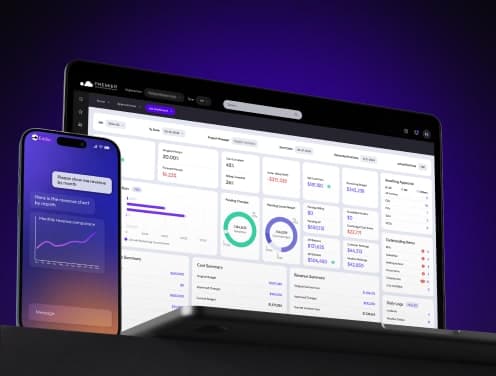
Up-to-the-minute dashboards show overbillings, underbillings, earned revenue, and profitability without waiting for month-end closings. Controllers can drill into transactions, vendors, dates, and resources to find the exact cause when margins suddenly decrease or cost overruns appear.
Cash flow forecasting
Cash collections can lag due to retainage, change-order approvals, and billing cycles. You still need to make on-time payments for payroll, subcontractors, materials, and taxes. Cash flow forecasting helps contractors anticipate timing gaps between cash receipts and disbursements.
Custom dimensional reporting
Dimensional accounting lets you tag transactions with customizable dimensions like department, location, or project instead of creating separate general ledger accounts for every scenario. This results in a cleaner chart of accounts. It also enables more flexible, detailed analysis for better decision-making.
Integration and Scalability Capabilities
Software that sits in isolation defeats the purpose. The key features of construction financial software include connections that link your financial data to field operations and project execution.
API connections to project management tools
API integration allows different software systems to communicate with each other and facilitates uninterrupted data flow across platforms. Update a project milestone in your management software and it syncs with your budgeting system. Two-way sync matters here. Changes in either system flow to the other without double entry or reconciliation headaches at month-end. Modern integrations often rely on APIs and allow for quick setups with uninterrupted data flow between systems.
Mobile access for field teams
Field teams need immediate access to project data. Mobile construction apps sync field and office data and reduce manual entry while improving accounting ledgers. Time tracking apps let employees select cost codes at clock-in, with data syncing to job costing systems. Acumatica Cloud ERP supports mobile access for live updates and optimized operations.
Multi-company and multi-location support
A single, centralized database can run multiple companies. Inter-company transactions become simpler as you charge payroll, labor, equipment and AP invoices from one company to another. Cloud hosting lets you access any of your companies and divisions anytime, anywhere.
Cloud vs on-premise deployment options
Cloud platforms scale up or down without customizations. You add users, projects or business units as the firm grows. On-premise deployments give construction firms direct authority over systems and don't require internet connections to function. Smaller contractors benefit from cloud software's flexibility and lower upfront costs.
Conclusion
Construction accounting just needs more than simple bookkeeping. Your financial software should handle job costing, retainage and AIA billing along with multi-entity operations without forcing workarounds. What matters most is live visibility into project profitability before problems compound.
Premier Construction Software delivers these capabilities through construction ERP that connects field operations directly to your financial records. You get accurate WIP reports and automated compliance tracking. Cash flow forecasting reflects construction reality.
Choose software built for how contractors work. Your margins depend on it. Knowing how to scale without adding accounting staff depends on systems that automate what spreadsheets can't handle.
Latest articles



Trusted by global leaders
Join those who have put their trust in us