
How long does construction ERP implementation take for a mid-market contractor?
Last updated: August 2026
So how long does ERP implementation take for your construction company? You're looking at 6 to 12 months if you're a mid-market contractor. That's quite different from the 3 months small businesses need or the 18+ months enterprise deployments require. The investment ranges from $40K to $800K for mid-sized firms and delivers ROI within 12 to 18 months when you follow proven patterns. So understanding how long an ERP implementation takes and what drives those timelines matters for your planning and budget. This piece breaks down each phase and the factors that speed up or slow down your timeline while showing you how to avoid common delays that push projects beyond a year.
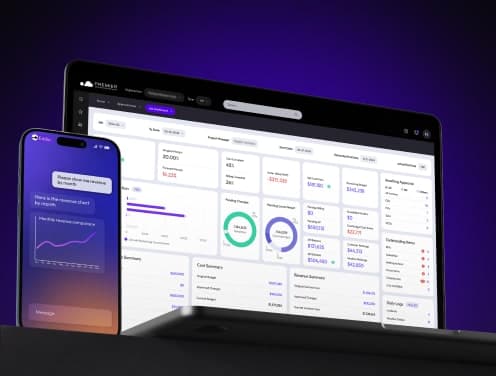
Standard construction ERP implementation timeline for mid-market contractors
Mid-market contractors operate in a specific timeline window that is different by a lot from smaller businesses and enterprise-scale operations. Company size, revenue, and operational complexity determine how long an ERP implementation takes and what resources you'll need to allocate.
Small vs mid-market vs enterprise timeline differences
The relationship between company size and implementation duration follows a predictable pattern. Small construction businesses with $1M to $10M in revenue complete implementations in 3 to 6 months. Mid-market contractors, running $10M to $50M in annual revenue, need 6 to 12 months for proper rollout. Enterprise operations above $50M often require 9 to 18 months or longer.
These timeline differences stem from organizational complexity rather than software capability. A $5M specialty contractor might operate from a single location with 15 employees. A $30M general contractor manages multiple concurrent projects and field offices across regions with 100+ employees who have varying system access needs.
First-year costs reflect this complexity. Small businesses spend $10K to $25K. Mid-market firms allocate $50K to $150K for software, implementation, training, and data migration. The larger investment buys more configuration time and data migration support for legacy systems along with training programs.
Deployment models also affect your timeline. Cloud-based ERP platforms like Premier Construction Software can go live in as few as 60 days through structured implementation processes. On-premise systems require 6 to 18 months given that hardware procurement, network configuration, and infrastructure setup must happen before anyone extracts value.
Why 6-12 months is the typical range
Most construction firms running $10M to $100M in revenue need this timeframe for complete rollout. Setup, testing, training, data migration, and multi-department onboarding all fit within this window. Rushing past it creates adoption problems and expensive rework.
Compressed timelines increase pressure on configuration, testing, and training activities. Something breaks when you squeeze a 10-month project into 6 months. Data quality, user training, or process confirmation suffers. Implementation schedules fail when timelines are compressed because rushed configuration increases the likelihood of missed process steps and user confusion after deployment.
A practical timeline allocates adequate periods for data preparation and migration. System configuration, testing, user training, and controlled deployment each need their time. Each phase feeds the next. Poor data preparation derails configuration. Testing that falls short creates post-launch firefighting. Skipped training guarantees low adoption.
Research shows close to 75% of all ERP implementations fail, with nearly 55% failing to achieve their goals. Construction projects face additional risk. Gartner predicts that by 2027, more than 70% of ERP initiatives implemented recently will fail to meet their original business goals.
The 6 to 12 month window provides buffer capacity for unexpected complications. Job code standardization takes longer than predicted. Legacy data contains more errors than you thought. Field teams need additional training sessions. A realistic schedule with contingency allowances supports smoother deployment.
What 'implementation' actually covers
Implementation covers far more than software installation. The process starts with detailed requirements gathering and vendor selection. Your team documents current workflows and identifies pain points before any configuration begins. Success metrics get defined upfront.
Data preparation consumes substantial time and resources. Old job codes, messy spreadsheets, and outdated vendor lists wreck your reports if migrated without cleanup. Cost code standardization, user role definition, and integration with existing tools all require planning.
Testing phases identify configuration gaps before they affect live operations. Pilot programs allow your team to confirm workflows and reporting accuracy. You test integrations and refine approval processes. Lessons learned during pilot stages guide broader implementation and prevent organization-wide disruptions.
Training extends beyond software navigation. Role-specific programs teach accounting teams, project managers, and field crews how the new system changes their daily workflows. Implementation teams should define resource ownership, phase milestones, testing periods, and training schedules. Contingency allowances matter too.
The final phase addresses go-live support and stabilization. Rolling out ERP functionality across your entire organization at once increases risk. A controlled approach confirms core functions before expansion to additional modules or locations. Post-launch monitoring catches issues early and maintains user confidence during the adjustment period.
5 factors that extend or shorten your ERP timeline
Your timeline won't match your neighbor's, even if you run similar-sized operations. Five specific factors determine whether you finish in 6 months or push past the 12-month mark.
Company revenue and employee count
Revenue and headcount affect how long an ERP implementation takes. Larger companies tend to have more complex business processes and more users. They need longer timeframes to define requirements and train personnel. A $15M subcontractor with 25 employees completes implementation faster than a $45M general contractor managing 150 users in accounting, project management and field operations.
The complexity multiplies when you think over data volume. A company processing 500 subcontractor payments monthly generates different data challenges than one handling 50. More transactions mean more historical records to verify and more vendor relationships to migrate. You also need to configure more approval workflows.
Employee count determines your training burden. Getting 30 people comfortable with new software takes less time than onboarding 100+ users with varying technical skills. Field superintendents need different training than your accounting team does. Project managers require access to different modules than estimators do.
Number of concurrent projects and locations
Geographic spread introduces substantial complexity. Larger businesses are more likely to have multiple locations and legal entities, which introduces even more complexity. A single-office contractor wraps up configuration faster than a firm operating in three states with separate divisions for commercial and industrial work.
Concurrent project volume matters just as much. Managing 8 active jobs is different from juggling 40 simultaneous projects. Each location needs user setup and permissions configuration. You might need separate cost code structures. Multi-state operations face varying tax requirements, union agreements and compliance standards.
Multiple legal entities compound these challenges. Separate subsidiaries require distinct chart of accounts and intercompany transaction handling. They need consolidated reporting capabilities. Your implementation team spends additional weeks configuring these relationships and proving the financial flows between entities are right.
Data quality and legacy system complexity
Poor data quality ranks among the most common causes of delays. Data migration can represent as much as 10-15% of the total project cost. Most mid-market contractors find their legacy data contains more problems than predicted.
Typical data challenges include duplicate records and incomplete project histories. You'll find inconsistent naming conventions and misaligned cost codes. Your AS400 system from 1998 stores job codes differently than your estimating software does. Vendor names appear six different ways in your systems. Historical project data lacks standardized phase codes.
Unstructured data requires more processing and verification when moving from source documents into ERP software. Paper-based timesheets, scanned invoices and spreadsheet-based change orders all need translation into structured database records. This cleanup work extends timelines by weeks or months, depending on data volume and quality.
Legacy systems running on outdated programming languages create additional migration hurdles. You need to extract data from proprietary formats and map disparate data structures. Uniting duplicates and proving accuracy all consume implementation bandwidth. Testing migrated data really well before go-live prevents invoicing errors and reporting failures down the road.
Internal resource availability
The biggest predictor of timeline success? Whether you dedicate proper internal resources. Companies that experienced setbacks often assigned staff who "had the time" rather than people they couldn't do without. Your implementation needs the busy people who understand business processes and have executive respect.
Core team members should dedicate 40 hours weekly, or at minimum 25% of their time. Anyone unable to commit at least 10 hours weekly shouldn't join the key project team. Team members spending less than a quarter of their time struggle to keep pace with project activities, much less add value.
Process owners, data stewards and super users often need 30-80% allocation to the ERP project. They need backfills for their regular responsibilities. Pulling your best project manager off active jobs for six months creates operational gaps. Budget for temporary staffing or accept that current projects might need additional oversight.
When internal resources run low, businesses use vendor services or third-party consultants more than planned. External support costs money. Understaffing costs more through extended timelines and repeated rework cycles.
Vendor selection and specialization
Construction-specific platforms handle project costing, compliance management and workforce tracking better than generic business software. They manage equipment oversight better too. Premier Construction Software offers purpose-built solutions that understand construction workflows from day one. Generic ERP platforms force you down customization paths that extend timelines and inflate costs.
Vendor experience delivering construction ERPs matters by a lot. Partners with a showed understanding of construction reporting needs accelerate implementation. They know how to support project-driven financial workflows and can integrate with estimating platforms. They've configured job cost accounting hundreds of times. They know which reporting structures work for bonding requirements.
Implementation methodology and support structure separate strong partners from mediocre ones. Search for qualified consultants with in-depth knowledge of your chosen application. Look for staff trained in construction industry specifics and availability in necessary locations. You need partners with multinational business capabilities for international operations. They should have language skills and currency handling experience.
Phase 1: Planning and requirements (weeks 1-8)
The first two months determine whether your ERP project succeeds or stalls. This planning phase sets expectations, arranges stakeholders, and builds the team that will carry your implementation through to completion.
Needs assessment and stakeholder interviews
Stakeholder involvement proves vital for ERP project success. Engaging stakeholders addresses their diverse needs and leads to higher user adoption rates while reducing potential implementation issues. Research shows a 30% increase in user adoption rates when stakeholders feel heard throughout the process.
You need to identify who the new system impacts. Core stakeholders include your executive team providing strategic direction and employees who use the system each day. Your IT department handles implementation and support. Even customers and suppliers expect improved interactions. Don't overlook any group. A missed stakeholder means a missed requirement that can delay delivery or worse.
Conduct stakeholder workshops at the start of the process. Ask each person: "What does success look like for you?" Walk through their current processes, pain points and objectives. Document existing workflows in detail before you design anything new. Without this baseline, you can't design a solution that solves the problem.
To name just one example, your project manager needs to understand how superintendents track daily reports at the moment. Your CFO wants clarity on month-end close processes. Field crews have opinions about timesheet entry. Gather these ground stories through structured interviews and uncover needs beyond typical feature requests.
Vendor selection and contract negotiation
ERP selection takes time, but it shouldn't drag on forever. Customers spend 16.3 months on average seeking, evaluating and making a purchase. That's too long. You can evaluate multiple ERP vendors and decide on a best-fit platform in less than three months by doing this and being structured.
This structured process involves three stages: preparation work, vendor demos and post-vendor demos. Your evaluation team compiles requirements and creates scorecards during preparation. The team has top management, project managers and department heads from accounting and operations.
Don't just assess software capability when you evaluate vendors. Evaluate the implementer's understanding of your business. Ask vendors to demo your specific use cases with your customer data when possible. Make sure the same committee members attend all demos so you collect consistent comparative feedback.
Implementation team formation
Who you select for your implementation team can determine whether you launch or fail to get off the ground. Choose people with the right skills: project management, budgeting and resource allocation, data migration expertise and change management capability.
This means selecting your A-team from different departments and seniority levels. To name just one example, include a respected finance team member as a core player if you're implementing new accounting functionality. Business outcome-led projects drive better results than IT requirements-driven projects.
Core implementation roles can't be treated as side hustles. Assign core people on a full-time basis. Leaders participate in creating the project vision, own their functional areas for design and execution, and help prepare for what comes after. Implementation experts recommend having team members' continued commitment for several months after going live.
Your team structure should include an executive sponsor who champions the project and removes roadblocks. A dedicated project manager oversees day-to-day activities. Super users from each department will train and support their colleagues. The project team meets each week, or more often during critical periods.

Phase 2: Data migration and system configuration (weeks 9-20)
With your team assembled and vendor selected, Phase 2 launches the technical work that determines how smoothly your go-live proceeds. This 12-week stretch transforms planning documents into configured systems and messy legacy data into clean, standardized records.
Legacy data cleanup and validation
Data migration represents 10-15% of your total project cost. That investment buys you something critical: accurate information that won't wreck your first month of operations.
You must prioritize data cleaning before migration to have a successful ERP implementation project. Bad data creates problems that ripple across your organization, so starting with quality assessment proves non-negotiable. Duplicate, outdated, or incomplete records cause delays and errors that lead to process inefficiencies.
Your cleanup process follows a structured path. Assess data quality first by evaluating accuracy, completeness, consistency, duplicates, and relevance. Data profiling tools help you analyze missing values, duplicate records, and format variations. Then standardize formats in any field. Convert dates to YYYY-MM-DD format, phone numbers to consistent structures, and vendor names to uniform conventions. This prevents migration failures.
Data matching tools help you remove duplicates and inconsistencies by identifying exact and near-duplicate entries. Merge redundant records while retaining critical information. "Blue Elephant Cafe" and "The Blue Elephant Cafe" should become one vendor record, not two separate payment accounts.
Missing data requires attention too. Identify critical gaps like customer contact information or invoice amounts, then use automated enrichment tools or cross-reference internal sources. Validation scripts flag anomalies before test imports into your ERP system.
Cost code standardization
Cost codes serve as a bridge between project management and financial management in budgeting, bidding, and contract development. Cost codes allow estimators and project managers to break down project budgets into granular categories during budgeting. Cost codes enable accurate monitoring against predefined budgets as expenses roll in, highlighting discrepancies early.
Standardization allows teams to avoid confusion and costly mistakes from misinterpreted information or data errors. Different managers track costs using individual methods without standardized codes. Organizing time cards and tracking costs becomes simpler when everyone uses the same codes.
Define your construction cost code structure early in the project life cycle. This enables alignment with engineering work packages, construction estimates, master schedules, and job cost systems. Many businesses use different software platforms for project management and accounting, with cost codes serving as a uniform reference across systems.
User role setup and permissions
Permission systems control which roles can access documents and with what permissions.
Permissions apply on combinations of roles, document types, and permission levels. Each document type has a separate list of role-based permissions. You can group fields by levels, with each group denoted by a unique number from 0 to 9. Separate permission rules apply to each field group.
User permissions restrict access to specific documents within document types. You might limit a user to one territory from all territories, to name just one example. User permissions defined for related document types also apply through link fields.
Integration with existing tools
Integrations automate information flow between systems and improve efficiency while providing accurate, up-to-date data. Construction ERP integrations connect specialized systems contractors rely on, including project management, accounting, payroll, and procurement.
Teams re-enter the same information across multiple tools without integrations. This increases error risk and creates misaligned data that compounds into project delays. Integrated systems provide immediate insight into project progress, costs, inventory, and financial performance. Stakeholders see how projects perform as work progresses instead of relying on delayed reports or manual updates.
Phase 3: Testing and training (weeks 21-28)
Testing separates successful implementations from expensive disasters. Weeks 21 through 28 focus on confirming your configuration choices and preparing users for the switch. This phase catches problems while you can still fix them cheaply.
Pilot project selection
A controlled pilot allows your team to confirm workflows before expansion. You increase risk when you roll out ERP functionality throughout your entire organization at once. Select one active project that represents typical operations instead.
Pilot programs help you identify configuration gaps and test integrations. They confirm reporting accuracy and refine approval processes. Lessons learned during the pilot stage guide broader implementation. Run your pilot on a $2M commercial renovation with standard subcontractor workflows rather than a complex design-build project with unusual requirements, for example.
User acceptance testing
User acceptance testing (UAT) refers to the process of proving that software meets end user needs and expectations. Teams perform UAT during the final phase before the product goes live. Users test software in scenarios that simulate real-life applications at this stage.
End users perform UAT, not developers. Involve several in-house volunteers from different business departments for construction ERP implementation. Each volunteer should have deep knowledge of the business and understand how the system will support daily workflows. A company planning ERP implementation would look to involve multiple people working in various roles.
The UAT process starts when developers create test scenarios describing high-level use cases or simulated real-life situations. Test scenarios include multiple test cases, which outline detailed steps testers follow to try out specific features. End users then follow test case instructions, such as entering data and generating reports, to determine whether the system functions properly.
UAT can take several days or longer. It may include several rounds of feedback and bug fixes before deployment. UAT represents two milestones: reaching UAT means the team is very confident the system nears 100% readiness, and completing UAT means the system is truly ready for production use.
Acceptance testing delivers time and cost savings. Software bugs prove time-consuming and costly to fix after deployment. Customers get frustrated using systems with regular problems. UAT also increases user confidence. Users better understand how software works and what to expect when they test it before it goes live.
Role-specific training programs
The strongest construction ERP training programs organize around the cost lifecycle rather than software menus. That means teaching how an estimate becomes an approved budget and how commitments arrange to cost structures. It shows how labor and equipment feed actuals and how billing depends on clean operational data.
Role-based learning paths should cover project managers, field supervisors, payroll, accounts payable, procurement, equipment, project controls, and executives. Environment-based practice using realistic project scenarios works better than generic sample data.
Training programs must reinforce how project managers, superintendents, finance teams, procurement, payroll, and executives contribute to a connected cost control model. Users need to understand not only how to enter data but also when data must be entered. They should know what standards apply, who owns exceptions, and how leadership monitors compliance.
Phase 4: Go-live and stabilization (weeks 29-36)
Launch day arrives after months of preparation. But how you deploy determines whether weeks 29-36 become a controlled transition or a crisis management exercise.
Phased rollout vs big bang approach
Big bang deployment launches your new ERP system in all departments at once. Sales, finance, HR, and operations switch over on a set date. The old system shuts down. This approach delivers immediate efficiency once deployed. Unified views and centralized control eliminate duplicates and temporary interfaces.
But big bang carries major risk. If issues arise, your whole business slows down. Teams face high emotional and operational pressure when preparation falls short. The risk of critical errors or blockages remains high and can disrupt operations without a backup plan.
Phased rollout implements your system step by step, either by department or functional module. Your old system continues running while each part migrates, tests, and gets adopted. This method reduces risk since each phase acts as a test for the next. Corrections and user feedback happen along the way. Teams have time to train, experiment, and embrace the tool at their own pace.
The trade-off? Phased deployment requires longer, more structured project management with dedicated resources. You'll maintain the old system for certain components while managing interim interfaces between modules.
First 30 days post-launch
The first month after go-live focuses on establishing stability and building confidence. Your support structure should expand beyond normal operations. Establish a dedicated help desk as a single point of contact where users report issues and ask questions. Extended availability matters for multi-shift operations.
Rapid response protocols prioritize speed over perfection. A quick partial solution often works better than forcing users to wait for the ideal answer. Have knowledgeable team members present in core operational areas. Brief daily triage meetings review issues, identify patterns, and coordinate responses.
Performance monitoring and adjustments
The first 90 days involve user adoption challenges, system optimization, and performance monitoring as teams adjust to new workflows. Track core metrics like project completion times, customer response speeds, and administrative task efficiency. Most construction companies see measurable improvements in these areas by month three, with continued gains over the following year.

Common delays that push timelines beyond 12 months
Most mid-market contractors hit delays they didn't anticipate. The standard window spans 6-12 months, but specific problems stretch how long an ERP implementation takes beyond that threshold.
Scope creep and feature additions
Scope creep occurs when team members add features and functionality after project approval. The effect gets pricey through extended deadlines and additional fees. Panorama Group found scope creep caused 20% of budget overruns during ERP implementations. Each new feature pushes back launch dates. The delay can be weeks or months based on complexity.
Poor data quality requiring major cleanup
Poor data quality ranks as a leading reason for ERP implementation failures. Legacy systems contain years of outdated, inconsistent or duplicated records. Inadequate data preparation means issues go undetected until go-live. Duplicate records, missing balances or conflicting master data cause chaos at that point. One organization migrated over 100,000 duplicate records into their new system after using only Excel to standardize.
Resistance to change and adoption issues
Fear or resistance to change accounts for 24% of user adoption challenges. Employees reluctant to adopt new technologies fear job displacement or disruptions to familiar routines. This resistance undermines adoption and diminishes system effectiveness without adequate change management strategies. Silent resistance proves especially harmful when power users withhold expertise or middle managers delay decisions.
Inadequate internal resources
Team turnover and insufficient resources derail ERP projects. Companies that experienced setbacks often assigned staff who "had the time" rather than people they couldn't do without. Lack of skilled resources results in poor execution. Implementations drift past deadlines without dedicated focus.
Customization requirements
Excessive customization results in complexity, increased costs and longer implementation timelines. Custom features take time to build and test. This pushes back launch dates by weeks or months. Expect to spend 10-30% of your total ERP budget just on customizations.
How to accelerate your implementation without cutting corners
Shrinking ERP implementation time doesn't mean rushing critical steps. Four strategies deliver faster results without compromising quality.
Choosing construction-specialized ERP
Construction-specific platforms handle job costing, compliance, and workforce tracking better than generic business software.
Dedicating full-time implementation staff
Companies that assign staff who "had the time" rather than people they can't do without fail. Team members should dedicate 40 hours weekly, or at minimum 25% of their time. Anyone unable to commit at least 10 hours weekly shouldn't join the core project team.
Clean data from the start
Data cleanup proves non-negotiable. Quality assessment early on reduces implementation risks and accelerates time-to-value. Clean data up front means faster system stabilization and quicker ROI. Poor data quality delays implementations and introduces errors.
Strategic rollout in phases
Phased implementation spreads risk to manageable levels. Lower resource requirements at any given time improve cashflow even if overall costs stay similar. Early go-lives deliver quick wins for specific functions before full deployment.
Conclusion
A successful construction ERP implementation for your mid-market operation takes 6 to 12 months when you follow the right approach. Speed comes from preparation, not shortcuts. Clean your data before migration starts and dedicate your best people full-time to the project. Choose a construction-specific platform that understands your workflows without endless customization.
Construction ERP and accounting solution by Premier Construction Software delivers purpose-built solutions that reduce configuration time and accelerate your path to ROI. The investment pays back within 12 to 18 months when you avoid common pitfalls like scope creep and inadequate resourcing.
Treat your timeline as a roadmap, not a race. Your goal isn't the fastest implementation, it's the one that works.
Latest articles




Trusted by global leaders
Join those who have put their trust in us