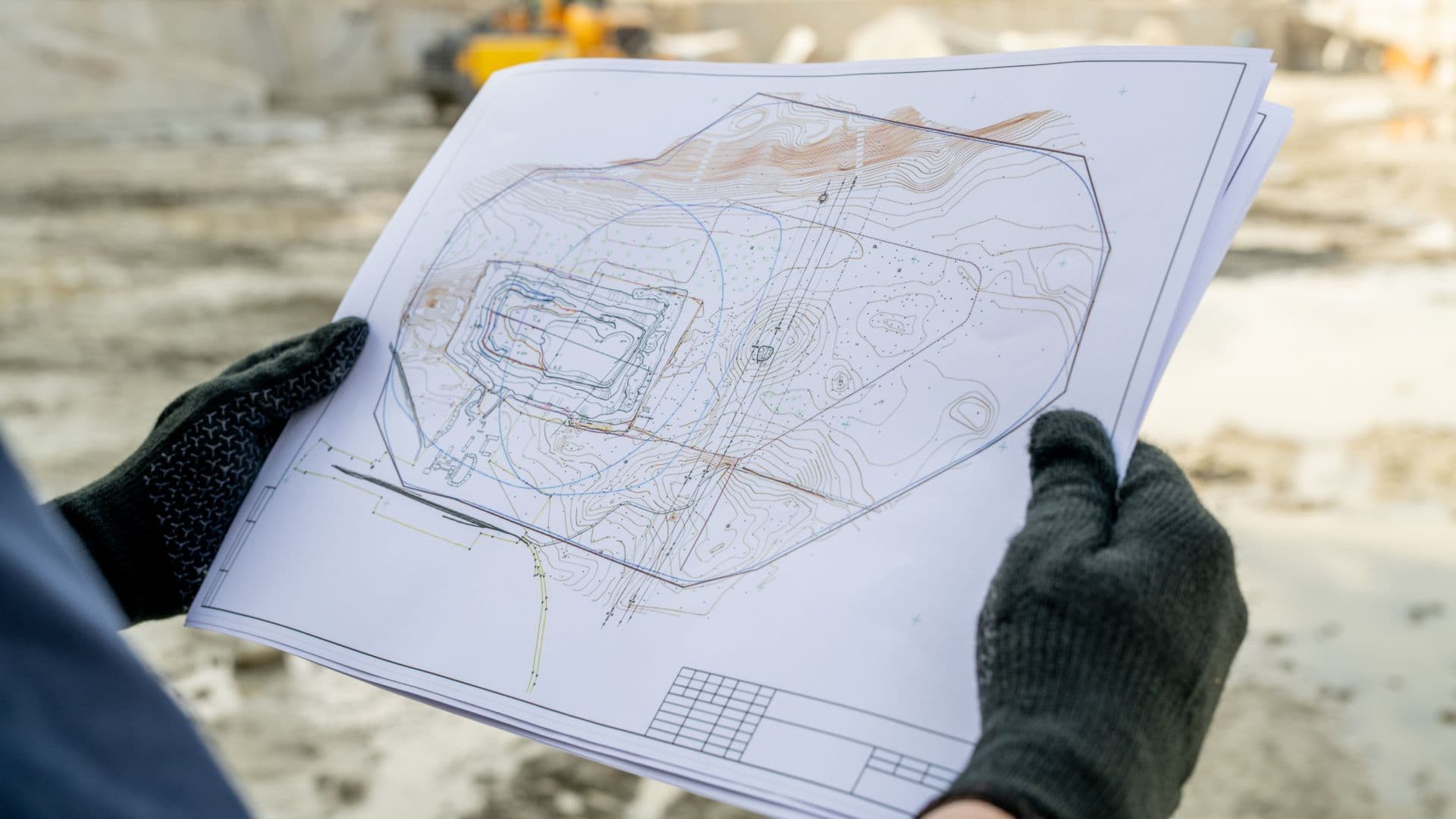
Permit Drawings vs Construction Drawings: Which Do You Really Need? (2026)
Last updated: April 2026
Quick Answer: Permit Drawings vs Construction Drawings
Permit drawings satisfy local authority requirements so you can break ground legally. Construction drawings tell every contractor and trade exactly how to build. Most projects need both, but knowing when each set drives decisions can save you significant time and money.
Starting a construction project without the right drawings is one of the fastest ways to blow your budget. Construction professionals routinely face a deceptively simple question: permit drawings or construction drawings? The answer matters more than most teams realize.
Permit drawings are built for code officers. Construction drawings are built for builders. They serve different audiences, carry different detail levels, and create very different financial risks when misused.
Poor documentation choices drive real costs. According to Helonic (2025), the U.S. construction industry spends an estimated $31.3 billion annually on rework, with 52% of that traced directly to design-related errors and omissions. Choosing the wrong drawing set at the wrong phase compounds that risk.
This guide breaks down the practical differences between permit and construction drawings, what each costs, when you need one or both, and how managing them digitally protects your margins.

Drawing Management Software: Quick Comparison
Before going deeper, here is a quick look at the platforms construction teams use to manage these documents.
Software / Tool | Type | Starting Price | Best For |
|---|---|---|---|
Premier Construction Software | Construction ERP | Contact for pricing | GCs managing drawings, job costs, and approvals in one system |
Procore | Project management | ~$375/month+ | Large GCs needing PM-only workflows |
Autodesk Construction Cloud | Design + PM | ~$500/month+ | Design-build firms with BIM-heavy workflows |
PlanGrid (now ACC) | Drawing management | Included in ACC | Field teams needing mobile drawing access |
What Are Permit Drawings?
Permit drawings are the technical documents you submit to local authorities to prove your project meets safety and zoning requirements. They are not meant to guide builders step-by-step. They are meant to get you legal approval to build.
Core components of a permit drawing set
• Site plan — property boundaries, existing structures, and setbacks
• Floor plans — room layouts with approximate dimensions
• Elevations — exterior views showing building height
• Structural plans — load-bearing elements and foundation type
• MEP plans — mechanical, electrical, and plumbing layouts
When permit drawings are required
Most jurisdictions require permit drawings for:
• New construction and additions
• Structural modifications
• Plumbing and HVAC installations
• Exterior building changes
• Demolition projects
Commercial plans typically require a licensed architect's stamp. Residential projects must meet applicable building code specifications. The review period generally runs 30 days after submission, and approvals are valid for 12 months.
Any change to approved scope requires a formal resubmission. Building departments focus on life safety, not construction method. That distinction matters when you realize permit drawings alone leave most site decisions up to the contractor.
What Are Construction Drawings?
Construction drawings turn an architect's approved design into a buildable reality. They are the technical language every contractor, subcontractor, and inspector reads to understand exactly what gets built and how.
Key components
• Architectural drawings: overall design intent and spatial layouts
• Structural drawings: detailed load-bearing elements, foundations, and connections
• MEP drawings: precise mechanical, electrical, and plumbing specifications
• Site plans: property boundaries, grading, and building placement
• Detail drawings: close-up views of complex connections and assemblies
• Finishing drawings: flooring, paint, millwork, and aesthetic specifications
What sets construction drawings apart
Construction drawings specify exact dimensions, materials, and assembly methods. Floor plans typically use a 1:50 scale for general layouts; detail sections zoom in to 1:20 for critical elements like wall assemblies or roof connections.
These documents evolve through design phases. Each phase adds detail. By the construction document phase, the drawing set answers every question a contractor might encounter on site. Large commercial projects can run to over 1,000 pages.
Building Information Modeling (BIM) and CAD tools have significantly reduced the errors that used to appear in hand-drawn sets. The Construction Drawing Management Software market was valued at approximately $1.8 billion in 2024 and is projected to reach $4.5 billion by 2033, reflecting a 9.5% CAGR as teams invest in better document control.
Key Differences: Permit vs Construction Drawings
Detail level
Permit drawings give authorities enough to verify code compliance. Construction drawings give builders everything they need to execute. That gap in detail is where project risk lives.
Permit drawings show approximate shapes and sizes. Construction drawings specify exact dimensions for cabinets, fixtures, bolts, and hardware. Permit sets exclude finish information. Construction documents cover every material choice.
Cost trade-offs
Permit drawings cost less upfront. But relying on them alone typically increases total project cost through:
• More on-site decisions driving additional labor hours
• Higher risk of procurement errors and material waste
• More frequent mid-build design changes
• Extra contractor coordination time
Construction drawings carry a higher initial investment but reduce overall project costs. According to FMI Corporation research cited by Trimble, more than $177 billion is lost each year in U.S. construction due to inefficiencies, rework, and communication breakdowns. Insufficient drawings sit at the root of a significant portion of that loss.
Timeline
Permit drawings typically take 4 to 6 weeks to produce. Construction drawings take 8 to 12 weeks because they require detailed coordination across multiple engineering disciplines.
Projects above $1 million in value can extend that timeline further, with full construction document phases running several months. Any changes to permit drawings require formal resubmission to the authority having jurisdiction (AHJ). Construction drawing changes move through a change management process without restarting the approval clock.
Side-by-Side Comparison
Aspect | Permit Drawings | Construction Drawings |
|---|---|---|
Purpose | Code compliance and safety verification for local authorities | Detailed building instructions for contractors and trades |
Key components | Site plan, floor plans, elevations, structural plans, MEP plans | Architectural, structural, MEP, site, detail, and finishing drawings |
Detail level | Approximate sizes and shapes; minimum code requirements | Precise dimensions, materials, finishes, and assembly methods |
Timeline to produce | 4 to 6 weeks | 8 to 12 weeks |
Cost trade-off | Lower upfront cost; higher risk of on-site changes | Higher upfront investment; fewer mid-build surprises |
Document volume | Compact set | Dozens to 1,000+ pages for large commercial builds |
Professional stamp | Required for most commercial projects | Multiple licensed professionals typically involved |
Change management | Formal resubmission required | More flexible update process with documented revisions |
Validity | 12 months from issuance | Active throughout the construction lifecycle |
How Much Detail Does Your Project Actually Need?
Project scale drives documentation requirements. There is no universal answer, but there are clear patterns.
Small projects
Smaller residential projects can often work with leaner documentation. Teams are smaller, decisions move faster, and the scope is less complex. Permit drawings may cover the regulatory base, with construction drawings limited to critical structural and MEP elements.
The risk: even small projects carry change order exposure. A single mid-build decision on cabinets or structural blocking can cost more than the full construction drawing set would have.
Large commercial and multi-unit projects
Large projects require centralized documentation from day one. Drawing sets for commercial builds cover:
• HVAC system specifications and duct routing
• Detailed plumbing layouts and utility connections
• Electrical configurations and panel schedules
• Structural steel details and connection drawings
• Accessibility compliance documentation
Residential projects typically range from tens of pages to a few hundred. Commercial developments routinely exceed 1,000 pages. The coordination burden across architects, structural engineers, MEP consultants, and contractors is significant, and managing it on paper or in email threads is a fast path to version conflicts and missed revisions.
Common Drawing Management Problems
Version control
Version control failures account for a substantial share of construction rework. The Construction Industry Institute consistently finds that rework consumes 5% to 9% of total project costs, with miscommunication and bad data the leading causes. Teams working from outdated drawing revisions amplify both problems.
Common version control gaps include:
• No consistent file naming conventions across project stakeholders
• Drawings distributed by email with no central record of the current revision
• Field teams working from printed sets that have not been updated
• No audit trail showing who approved which revision and when
Change order documentation
Material price shifts and scope changes generate change orders throughout a project. Each change requires documentation that reaches every affected party. Without a systematic approach, change orders create discrepancies between what was approved, what was ordered, and what was built.
Photo documentation creates its own coordination challenge. Drones and site cameras generate large volumes of data that must link back to specific drawing references and project phases.
Managing Drawings with Premier Construction Software
Premier Construction Software's drawing management module (Cortex) puts all project documentation in a centralized, cloud-based system accessible from any device. Teams get a single source of truth for drawings, submittals, RFIs, and related documents.
Key capabilities
• Real-time drawing updates: team members always see the current revision, not last week's PDF
• Markup and annotation tools: professional stamps, signatures, and measurement adjustments built in
• Approval workflows with document visibility: approvers can see the actual document they are signing off on
• Connected to job costs: drawing changes link directly to budget and change order tracking
• Unlimited storage: supports all common file formats at any project scale
"The unique thing about Premier Construction Software in our eyes was the ability to handle our full accounting functions, run the company and the jobs, but also the drawings, the submittals, the subcontracts, and the job costing. It was a full turnkey opportunity for us." — Brian Wessels, President, Intent Built
"It was very difficult in the other system because approvers were not able to see the document they were approving." — Executive, Nomad Infrastructure
Premier Construction Software goes live in as few as 60 days, with implementation led by construction-focused CPAs and project managers, not generic IT consultants. That speed matters when your team is mid-project and cannot afford months of setup.
The Cost Impact of the Wrong Drawing Choice
Hidden costs of relying on permit drawings alone
Contractors working from permit sets alone face a significantly wider range of project costs. MIK Architecture notes that residential construction costs typically range from $100 to $500 per square foot, and that range expands materially when the project lacks detailed documentation. On-site decisions, procurement errors, and coordination delays all add up.
The cost of fixing errors also grows exponentially as a project progresses. According to the Construction Industry Institute, the cost of correcting an error multiplies by roughly 10x at each project phase: a $100 fix during design becomes a $1,000 fix during construction and a $10,000 fix after occupancy.
Long-term financial effects
Poor drawing choices reach beyond project completion. Buildings with insufficient documentation face:
• Higher maintenance costs from undocumented construction methods
• Complications during property sales or refinancing
• Regulatory fines from code violations discovered post-construction
• Higher insurance premiums
• Lender scrutiny on construction loan applications
Financial institutions evaluate drawing quality when assessing construction loans. Detailed, professionally produced drawing sets signal project discipline and reduce lender risk.
"Premier Construction Software allowed us to catch red flags as soon as they happen and protect our margins." — Carlo Frediani, Controller, Broccolini
How to Choose the Right Drawing Type for Your Project
There is no single correct answer. The right choice depends on project size, budget, timeline, and local jurisdiction requirements. Here is a practical framework.
Step 1: Assess project complexity
Simple residential renovations or small additions may only require permit drawings to satisfy local code. Anything involving structural changes, multiple trades, or commercial occupancy typically needs a full construction drawing set.
Step 2: Evaluate budget risk
Permit drawings cost less now and more later. Construction drawings cost more now and less later. The break-even point depends on project size, but most projects above $500,000 in construction value benefit from a full drawing set.
Step 3: Factor in your jurisdiction
Permit review timelines vary significantly. South Florida typically runs 4 to 12 weeks for commercial reviews. Other jurisdictions move faster or slower depending on permit backlog and staff availability. Holidays and high-volume periods extend processing. Planning the drawing production schedule around these windows prevents approval delays from stalling your project start.
Step 4: Plan for changes
Permit drawings require formal resubmission for scope changes. Construction drawings handle changes through internal revision processes. If your project has significant design uncertainty, construction drawings give you more flexibility to adapt without resetting the approval clock.
Legal Requirements and Regulations
Local building codes
Building codes set minimum standards for structural systems, plumbing, HVAC, electrical, and natural gas systems. The International Building Code (IBC) provides the national framework, but state and local governments adapt it based on their specific conditions:
• Climate conditions and seismic zones
• Geographic and environmental considerations
• Population density and occupancy types
• Historical preservation requirements
Premier Construction Software's drawing management system helps teams track code compliance throughout the project lifecycle, with documentation organized for regulatory review at any point.
Professional licensing requirements
Commercial projects must be designed by licensed professionals. California, for example, allows unlicensed persons to design single-family wood-frame dwellings up to two stories under specific conditions. Commercial projects, including assembly spaces, educational facilities, and industrial buildings, require licensed architect and engineer involvement.
Electronic signatures are now accepted under many jurisdictions. The authority having jurisdiction (AHJ) makes final interpretations of code requirements and approves or rejects submittals accordingly.
Code violations carry serious consequences: property sale complications, financial penalties, mandatory demolition in extreme cases, and ongoing safety risks. Getting the documentation right from the start is far less expensive than resolving violations after the fact.
Software Comparison: Drawing Management Platforms
Here is a detailed comparison of the leading tools construction teams use to manage permit and construction drawings.
Software | Best For | Starting Price | Key Features | Rating | Verdict |
|---|---|---|---|---|---|
Premier Construction Software | GCs, developers, home builders scaling from $5M to $500M+ | Contact for pricing | • Drawing management (Cortex module) • Submittal and RFI tracking • Real-time job cost dashboard • Approval workflows with document visibility • AI-powered red flag detection (Eddie) | 4.7/5 | Best all-in-one construction ERP. Connects drawings directly to job costs and approval workflows. |
Procore | Large GCs needing PM-focused workflows | ~$375/month+ | • Drawing log and version control • RFIs and submittals • No native accounting | 4.5/5 | Strong PM tool, but requires a separate accounting system. Better suited for PM-only needs. |
Autodesk Construction Cloud | Design-build firms with BIM-heavy workflows | ~$500/month+ | • BIM model coordination • Document management • Design review tools | 4.3/5 | Best for design-heavy firms. Not built for construction accounting or job costing. |
Bluebeam Revu | Teams needing PDF markup and drawing collaboration | ~$260/year | • PDF markup and redlining • Measurement tools • No project management | 4.4/5 | A reliable markup tool, but limited to drawings only. No connection to financials or project data. |
Final Take
Permit drawings and construction drawings serve fundamentally different purposes. Permit sets get you legal approval to build. Construction drawings tell everyone how to build. Treating one as a substitute for the other is where project budgets go wrong.
The scale and complexity of your project should drive the decision. Smaller residential projects may manage with lean documentation. Commercial developments and anything with significant structural or MEP coordination need full construction drawing sets. Cutting corners on drawings to save design fees typically costs more in change orders, rework, and delays than the drawings themselves.
Managing those drawings in a centralized, cloud-based system means your team always works from the current revision, approvals move faster, and every change ties back to your job costs. That connection between documentation and financial control is what separates well-run projects from expensive ones.
Premier Construction Software's drawing management module is one part of a broader construction ERP that connects your documents to your job costs, approval workflows, and financial reporting. See how Premier Construction Software works or book a demo to see it in context.
Want to see how Premier Construction Software manages drawings, submittals, and job costs in one system?

Latest articles




Trusted by global leaders
Join those who have put their trust in us



















