
What Is Construction ERP Software: Everything You Need to Know
Last updated: April 2026
Quick Answer: What Is Construction ERP Software?
Construction ERP software is an integrated platform that connects project management, job costing, accounting, payroll, procurement, and field operations in a single system. Unlike general-purpose accounting tools, it organizes financial data around individual construction projects, giving finance teams real-time visibility into costs, margins, and cash flow on every job.
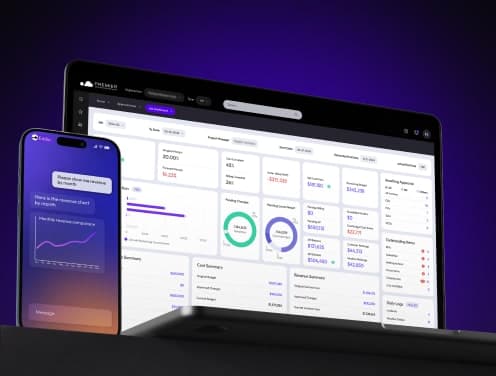
What Is Construction ERP Software?
Construction ERP software is a specialized financial and operations management platform built for the construction industry. It integrates project accounting, job costing, payroll, procurement, and field management into one system, organized around individual projects rather than general ledger accounts alone.
Construction companies face financial complexity that generic software cannot handle: multi-phase job costing, AIA progress billing, union payroll, certified payroll across multiple states, change order tracking, retainage management, and multi-entity consolidation. Construction ERP addresses each of these within a single platform.
The global construction ERP software market was valued at $3.7 billion in 2024 and is projected to reach $7.6 billion by 2034, growing at a 7.7% CAGR (GM Insights). Cloud-based deployments account for 62% of that market (GM Insights), reflecting a broad shift away from on-premise systems toward platforms that field and office teams can access from any location.
Three-quarters of construction contractors now use ERP systems (Construction Executive), and firms without integrated platforms face structural disadvantages in billing speed, job cost accuracy, and compliance reporting.
How Construction ERP Differs from General ERP
General ERP systems are designed around departments (finance, HR, purchasing), not projects. Construction ERP is built around jobs. That structural difference drives several capabilities that general platforms cannot replicate:
Job costing by phase and cost code.
Construction ERP tracks labour, materials, equipment, and overhead at the project phase and cost code level, not just at the GL account level. This gives project managers and controllers a real-time view of cost-to-complete and profitability on every active job.
AIA and progress billing.
Construction billing follows project milestones, not invoice dates. Construction ERP generates AIA-format pay applications, tracks stored materials, manages retainage, and automates lien waiver workflows, functions that general accounting software requires manual workarounds to approximate.
Certified and union payroll.
Construction payroll involves prevailing wage rules, union agreements, certified payroll reporting (Davis-Bacon), and multi-state tax compliance. Construction ERP handles these natively, while general HR systems typically require custom configuration or third-party add-ons.
Change order management.
Every change order affects contract value, cost forecasts, and billing simultaneously. Construction ERP automatically connects change orders to job cost budgets, subcontracts, and pay applications, maintaining an auditable trail across all affected records.
Equipment and subcontract management.
Construction ERP tracks equipment utilization and maintenance costs by job, and manages subcontractor compliance, insurance certificates, and payment workflows within the same system used for financial reporting.
Why Construction Companies Need ERP
The financial case for construction ERP comes down to a well-documented industry problem: cost overruns. Research covering 258 infrastructure projects across 20 countries over 70 years found that 85% experienced cost overrun, with an average overrun of 28% (Flyvbjerg et al., via Propeller Aero). Separately, a KPMG global construction survey found that only 31% of projects came within 10% of their planned budget (KPMG Global Construction Survey).
These overruns are not random. They trace to specific process failures that ERP systems are designed to prevent:
- Cost visibility gaps. Without real-time job costing, finance teams learn about overruns at month-end, when it is too late to adjust spending on active work.
- Billing delays. Manual pay application processes slow cash flow. Construction firms that miss billing cycles on progress payments compound cash flow problems throughout a project.
- Payroll errors. Certified payroll mistakes trigger compliance penalties. Manual union payroll calculations introduce errors that compound as crews grow.
- Disconnected field data. When field teams record time and materials separately from the office system, cost allocations are delayed, inaccurate, or both.
Construction ERP addresses these directly by connecting job cost tracking, billing, payroll, and field data in one system with a single source of truth.
Core Features of Construction ERP Software
Project management and job costing
Construction ERP systems track costs at the project, phase, and cost-code levels against original budgets and approved change orders. Project managers can view cost-to-complete forecasts in real time, with automatic alerts when actual costs trend above budget thresholds.
Financial and accounting modules
The financial backbone of a construction ERP handles accounts payable, accounts receivable, the general ledger, and job cost functions within a single platform. Integrated AP workflows route invoices for approval, match them to purchase orders, and post to job cost codes automatically, eliminating the double-entry that creates errors in disconnected systems.
Payroll and compliance
Payroll modules in construction ERP support certified payroll reporting, union rules, prevailing wage calculations, and multi-state tax compliance. Automated tracking of subcontractor insurance certificates and licenses reduces compliance exposure.
Procurement and supply chain
Construction ERP streamlines procurement by connecting purchase orders to job cost budgets, tracking committed costs against available budget, and managing vendor performance. Real-time monitoring of material commitments prevents budget surprises when invoices arrive.
Field and mobile tools
Field teams access the ERP system through mobile applications to enter time by job and phase, submit daily reports, capture receipts, and log equipment hours. This data flows directly into job cost records without re-entry at the office.
Reporting and analytics
Role-based dashboards provide customized views for project managers, controllers, and executives. Drill-down capabilities connect summary financial data to the underlying transactions, allowing finance teams to quickly trace job cost variances to their source.
Modern Features to Evaluate
Cloud-based architecture
Cloud-based construction ERP eliminates on-site server infrastructure and provides access from any device. This matters particularly for construction, where project teams are distributed across job sites, regional offices, and home offices. Cloud platforms also receive continuous updates, reducing the maintenance burden on internal IT teams.
AI and predictive analytics
AI capabilities in construction ERP analyze historical project data to identify cost and schedule patterns, flag at-risk jobs before overruns occur, and build baseline schedules faster than manual methods. These tools are shifting from optional features to baseline expectations for mid-size contractors evaluating platforms.
Mobile functionality for field teams
The most effective mobile implementations support offline operation for job sites with limited connectivity, are iOS and Android compatible, and provide role-appropriate interfaces that field crews can use without training. Mobile apps that mirror the complexity of the desktop system see low adoption rates in the field.
IoT and equipment tracking
IoT integration with construction ERP connects equipment sensors to maintenance scheduling and utilization tracking. RFID-based material tracking reduces shrinkage and improves cost-allocation accuracy for large, material-intensive projects.
Cybersecurity
Construction ERP systems store sensitive financial data, contract terms, and bid information. Effective platforms include multi-factor authentication, encryption at rest and in transit, role-based access controls, and regular security audits. Cloud-based solutions can deploy security patches faster than on-premise installations.
How to Choose Construction ERP Software
Five criteria drive the selection decision:
- Job costing depth. The system must track costs at the phase and cost code levels, support multiple billing methods (AIA, T&M, lump sum), and automatically link change orders to budgets and subcontracts.
- Payroll capabilities. Confirm native support for certified payroll, union rules, and the states in which the firm operates. Add-on payroll modules that require data export introduce errors and delays.
- Implementation timeline and support. Cloud platforms typically go live in 60 to 90 days. On-premise solutions take 6 to 12 months. Evaluate the vendor's implementation methodology, dedicated support model, and ongoing training resources, not just the software features.
- Integration requirements. Map the existing technology stack (estimating, project management, field tools) and confirm the ERP has native connectors or published APIs for each system. Avoid platforms that require manual export/import between tools.
- Total cost of ownership. Calculate subscription fees, implementation costs, training, and per-user charges over a 3-year horizon. A lower per-user rate often accompanies a higher implementation fee, and vice versa. The right comparison is the total 3-year cost, not the monthly price.
Premier Construction Software
Premier Construction Software is a cloud-based ERP built exclusively for general contractors, developers, homebuilders, and specialty contractors. Hosted on Microsoft Azure, it combines accounting, job costing, project management, and field tools in a single platform.
Forbes Advisor has ranked Premier Construction Software the best construction cloud ERP, most recently in its 2026 Best Construction ERPs report.
Key capabilities:
- AI-powered AP automation with invoice capture, routing, approval, and posting to job cost codes
- Multi-entity management with consolidated financials, WIP reporting, and cash flow visibility across all companies and projects
- Guest portals connecting architects, clients, and subcontractors to project workflows without requiring additional ERP licenses
- 60-day go-live timeline with dedicated account manager, data migration support, and structured onboarding
Pricing:
- Starter: $349/user/month + $15,000 implementation fee
- Premium: $249/user/month + $25,000 implementation fee
- Enterprise: $125/user/month + $50,000 implementation fee
All plans include cloud hosting, core financials, job costing, and access to in-house construction specialists.
Client results:
J. Corsi Developments reduced administrative time by 50% and reporting time by 25% after implementing Premier Construction Software. Max Construction saves over 30 hours weekly and has improved project efficiency by 40%.
Frequently Asked Questions
Q: What is construction ERP software?
Construction ERP software is an integrated platform that connects project accounting, job costing, payroll, procurement, and field operations in a single system organized around individual construction projects. It gives finance teams real-time visibility into costs, cash flow, and profitability on every active job.
Q: How does construction ERP differ from general ERP systems?
General ERP systems organize data around departments and accounts. Construction ERP organizes data around jobs and projects, with native support for AIA billing, certified payroll, change order management, and multi-phase job costing, functions that general platforms require significant customization to approximate.
Q: How does construction ERP improve financial management?
Construction ERP provides real-time job cost tracking against budgets, automated billing workflows, integrated AP with approval routing, and certified payroll processing. Finance teams can identify cost overruns at the job and phase level before month-end, rather than discovering problems in retrospective reports.
Q: What mobile features should construction ERP include for field teams?
Field-facing mobile apps should support time entry by job and phase code, daily report submission, receipt capture, and equipment hour logging. Offline functionality is essential for job sites with unreliable connectivity. Data entered in the field should post directly to job cost records without re-entry at the office.
Q: What does construction ERP software cost?
Pricing varies by platform, user count, and module selection. Cloud-based construction ERP typically ranges from $125 to $350 per user per month, with one-time implementation fees of $15,000 to $50,000 depending on company size and complexity. On-premise systems involve higher upfront license costs plus annual maintenance fees.
Q: How long does construction ERP implementation take?
Cloud-based platforms typically go live in 60 to 90 days. On-premise solutions take 6 to 12 months. The primary drivers of timeline are data migration complexity, the number of entities being configured, and whether the implementation includes payroll processing.
Latest articles



Trusted by global leaders
Join those who have put their trust in us